Rich UI in Google Chat: a real, self-hostable bot built on the print-channel trick
Who this is for: developers who want a real, self-hostable Google Chat app with server-rendered visuals — no Gemini Enterprise license needed, no custom widget set to fight, just a Cloud Run service you can clone and deploy yourself.
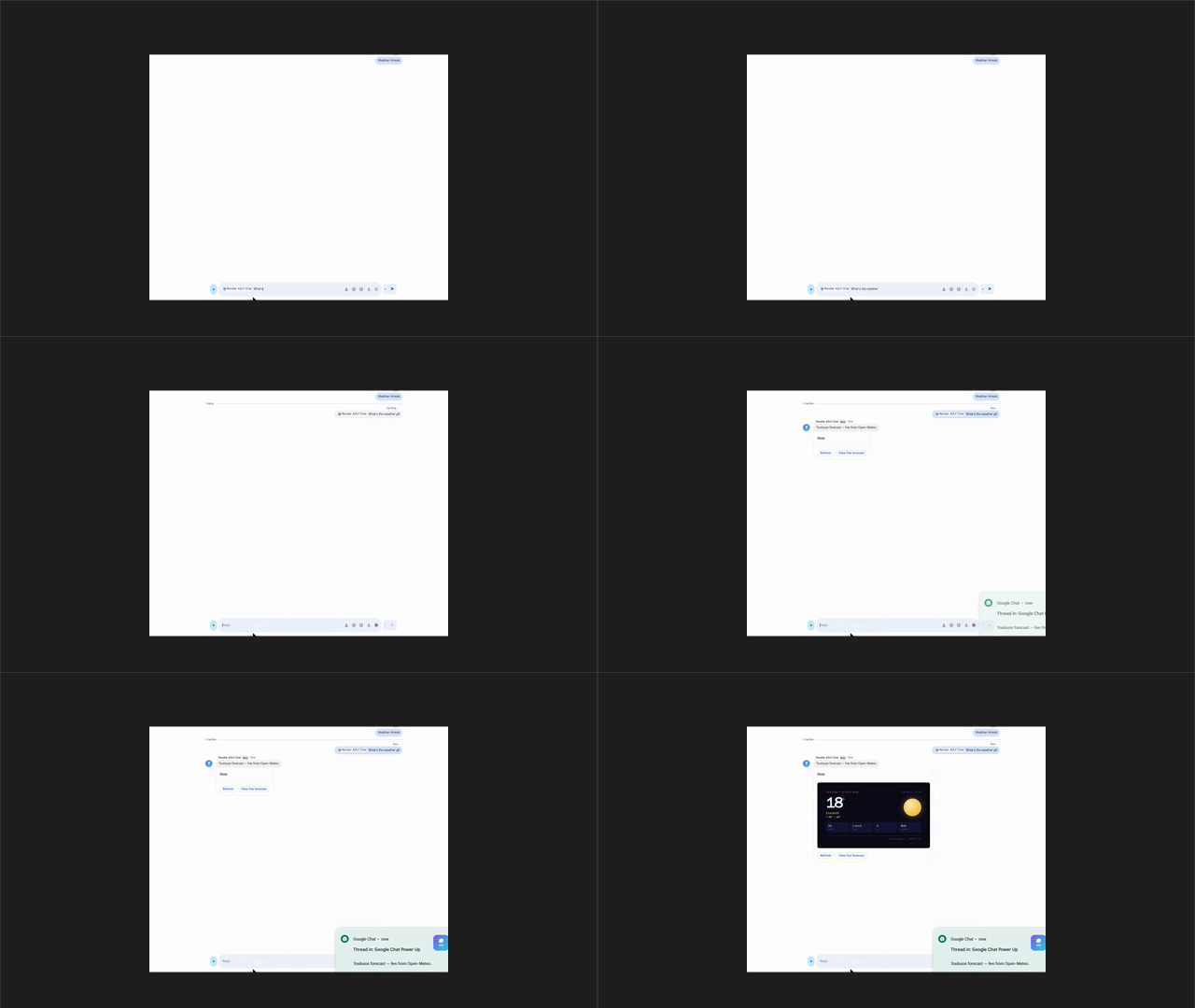
weather gif — 3-day Toulouse forecast
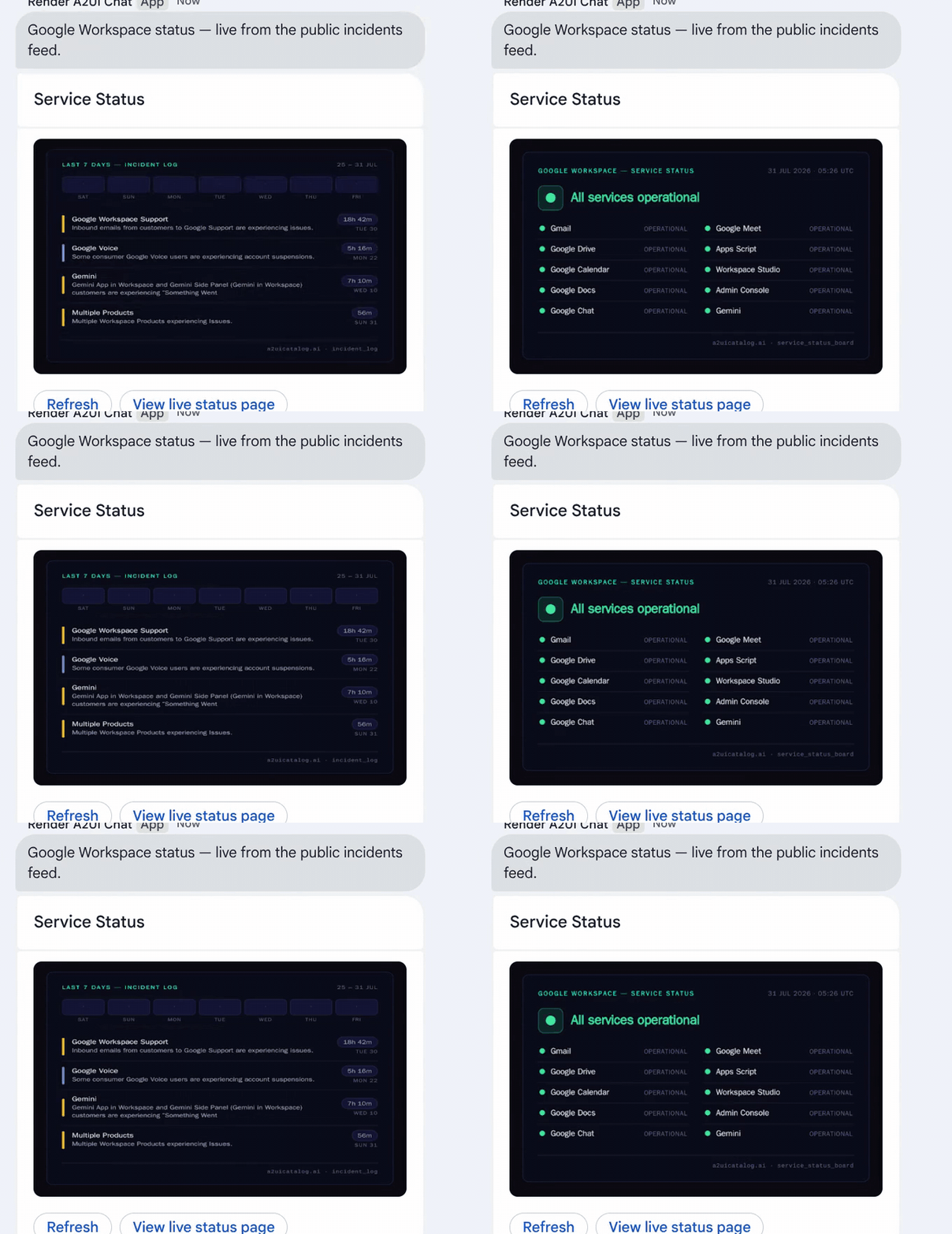
workspace stats gif — live Workspace service status
The bot this piece builds: a real Chat message, a real image URL, real data — no custom widget, no Gemini Enterprise, just Cloud Run and Chat's own API. Same pipeline, two completely different atoms.
The same wall, a different surface
A companion series on this blog, "using a2ui in Gemini Enterprise", covers the same underlying idea applied to a completely different host: Part 1 tested all 18 of Gemini Enterprise's standard A2UI primitives against a live agent, and Part 2 built a print-channel workaround for everything those 18 primitives can't express — render the atom to a real image server-side, deliver it through the one primitive that always works.
Google Chat hits the identical wall by a completely different route: a
fixed cardsV2 widget set instead of a fixed A2UI catalog, but the same
shape of ceiling — no custom layout, no charts beyond what Google ships.
The fix carries over unchanged. This piece covers it end to end for
Chat specifically: no A2UI protocol, no GE agent registration, just a
Cloud Run service and Google's own Chat API — a real bundle you can clone
and deploy today, in the cloud-run-renderer folder of this same repo:
The problem, restated for Chat
Chat's image widget will display anything with a URL. It has no idea
what a gauge_sla or a weather_now atom is, and it never will — Chat
isn't getting a custom-widget SDK. So the fix from Part 2 carries over
unchanged: render the atom to a PNG or GIF using the exact same headless-
Chromium pipeline every other surface in this catalogue uses, and hand
Chat a plain image URL. Chat's own client fetches it and displays it —
full visual fidelity, zero cooperation required from Chat's widget set.
One wrinkle is Chat-specific and worth naming up front: Chat's image fetch is anonymous — no bearer token, no signed-in identity, nothing. That single constraint decides almost every deployment choice below.
Tracing one request end to end
Before the how-to, here's exactly what happens when someone types
weather gif into a space where this bot is installed:
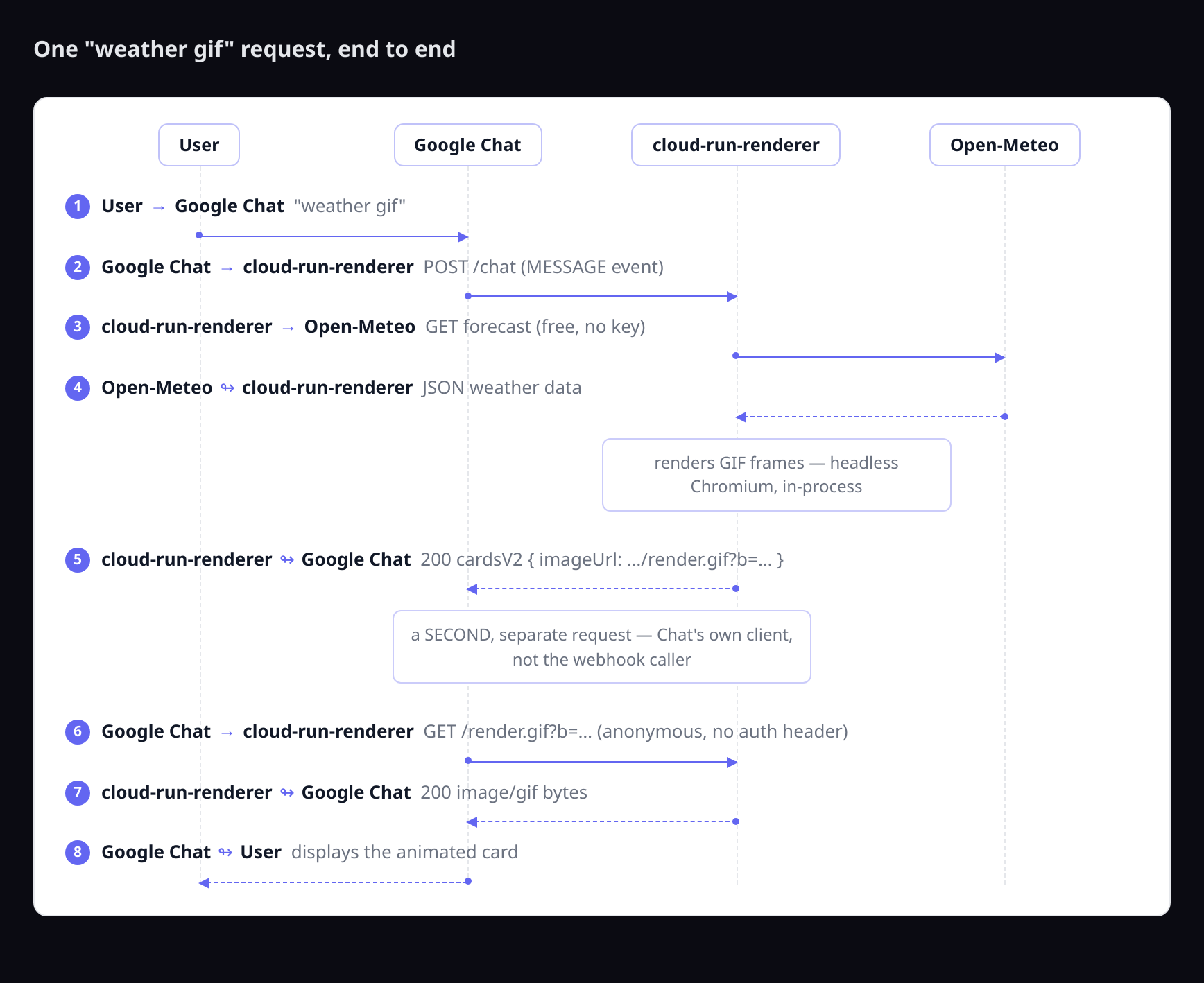
(Rendered through the catalogue's own sequence_diagram atom, via the
same headless-Chromium pipeline the rest of this piece is about — the
diagram is a live example of the print channel, not a separate tool.)
Two separate fetches, not one: Chat's webhook POST to /chat returns a
cardsV2 payload containing an imageUrl — not the image itself. Chat's
own client then makes a second, completely separate, unauthenticated GET
against that URL to actually retrieve the pixels. Missing that second hop
is the single most common reason a first attempt at this pattern shows a
broken-image icon instead of a picture: the card renders, the webhook
response is valid JSON, and the image 404s or 401s anyway, because
whatever served /chat wasn't also reachable anonymously for the GET.
Building the bundle: one service, not two
The natural first instinct is to gate the whole service with Cloud Run IAM — no public surface, no consequence. That doesn't survive contact with the constraint above: Cloud Run IAM is all-or-nothing per service. Gate the service and Chat's own webhook call still gets through (it presents its own service identity), but the anonymous image GET is now blocked along with everyone else's — the exact fetch the whole card depends on.
The version of this shipped in cloud-run-renderer folds both jobs into
one Cloud Run service: POST /render is the core primitive (one atom
block in, one PNG out), GET /render.png and GET /render.gif are the
same rendering exposed as a plain URL Chat's client can fetch directly,
and POST /chat is the actual webhook handler. All three share one render
pipeline — nothing here talks to a second, separate service, and nothing
here talks to any third-party API beyond two free, keyless public feeds
(Google's own Workspace status feed, and Open-Meteo).
Deploy it
Prerequisites: a Google Cloud project with billing enabled, and the
gcloud CLI authenticated. No API keys.
--allow-unauthenticated is the direct consequence of the anonymous-fetch
constraint above — there's no secret this service holds, but every render
is a real headless-Chromium launch, and a public URL means anyone can
trigger one. Worth being precise about what "worst case" actually means
before deploying, not after: Cloud Run Gen2 pricing is public
($0.000024/vCPU-second, $0.0000025/GiB-second), so three instances pinned
at 100% CPU running unattended for a month is a real, calculable number —
on the order of $200, not "unknown." The controls below turn that into a
number you actually choose, not one an attacker does.
One-time setup — a signing key for render tokens (see below for why):
gcloud secrets create render-signing-key \
  --project=YOUR_PROJECT --data-file=<(openssl rand -hex 32)
gcloud run deploy YOUR_SERVICE_NAME \
  --source . \
  --project YOUR_PROJECT \
  --region YOUR_REGION \
  --allow-unauthenticated \
  --max-instances 3 \
  --concurrency 4 \
  --set-secrets RENDER_SIGNING_KEY=render-signing-key:latest
The endpoint has to be public. The expensive work doesn't have to run
for just anyone who asks. /render.png and /render.gif are HMAC-signed:
every token this service generates for its own /chat replies carries a
signature, and a forged or guessed one gets an instant 403 before
Chromium ever launches — only URLs this service itself produced are
honored. That's the actual answer to "isn't a public renderer a DoS
target": the reachability is unavoidable, but the cost isn't, because a
stranger's traffic never reaches the renderer at all.
Three more bounds sit underneath that, cheap insurance against the
signature check ever being bypassed or a signed URL leaking: width
above 2000px and a deck above 12 blocks are rejected outright; a single
block's own JSON is capped at 50KB, closing the gap those two don't (an
in-bounds width and block count with one field — a chart's data array,
say — padded enormous); and a flat cap of 30 renders per minute turns
"cost" from an open-ended function of attack duration into a fixed,
calculable ceiling regardless of how long anyone tries. None of this is
a substitute for a real budget alert — it's what makes that alert a
backstop instead of the only line of defense:
gcloud billing budgets create \
  --billing-account=YOUR_BILLING_ACCOUNT_ID \
  --display-name="cloud-run-renderer budget" \
  --budget-amount=10USD \
  --threshold-rule=percent=0.5 \
  --threshold-rule=percent=1.0
These signatures don't expire, and on this surface that's the right
call. The usual advice for a signed URL is to put a short exp
timestamp inside the signed payload so a leaked link stops working after
a few minutes. That advice assumes the URL is transient. A chat message
isn't: a card posted today is still sitting in the space next month, and
Chat's client re-fetches its image every time someone scrolls back to it.
Put a fifteen-minute expiry on the token and every card older than
fifteen minutes turns into a broken-image icon in the history. So the
tokens here are unbounded in time, and what bounds the damage instead is
that the render is deterministic: the URL carries its own gzipped
payload, so a leaked link discloses nothing the leaked message didn't
already show, and re-fetching it costs one render against the same
30-per-minute ceiling everyone else shares. If your surface isn't
durable this way — a transient dashboard, a notification that ages out —
add an exp field to the signed payload and check it before the decode.
It's a few lines, and it's the right default there. It just isn't here.
Client caching is normally where this pattern bites, and the URL shape
defuses it. Chat's client caches images, and the classic failure is a
card that refuses to update: you click Refresh, the webhook round-trips
correctly, and the picture doesn't change because the client already has
that URL. That can't happen here, because the URL is the payload — the
token is a gzip of the exact block being rendered, so a card built from
new weather data is a different token, and therefore a different URL, and
therefore a fetch the cache has never seen. Two renders share a URL only
when they would produce identical pixels, which is precisely when you
want the cache to answer. So responses go out with Cache-Control:
public, max-age=300 rather than no-cache: the same card opened by ten
people in a space costs one render, not ten. Reach for no-cache only if
you break the content-addressing — a URL with a stable ?id= that
re-renders live data server-side needs it, and pays for every view.
Registering it as a Google Chat app
Two gotchas here are worth more than the rest of the setup combined, because both cost real time before you find the actual right page — verified against Google's current documentation, not assumed from an older tutorial:
You can end up building the wrong kind of thing entirely. Searching
"build a Google Chat app" surfaces Apps-Script-hosted tutorials under two
different Google docs product lines — plain "Google Chat" quickstarts and
the separate "Google Workspace add-ons" track. Both have you writing Apps
Script functions in an appsscript.json-manifested project. Neither one
ever touches a Cloud Run URL. If a tutorial opens the Apps Script editor,
close it — this bundle needs the other kind of Chat app.
Even on the correct page, one dropdown has four options and three of
them are wrong for this. On the Chat API's own Configuration page,
Connection settings offers HTTP endpoint URL, Apps Script project (a
Deployment ID), Cloud Pub/Sub Topic Name, and Dialogflow agent. This
bundle needs HTTP endpoint URL, pointed at <your-service-url>/chat.
The rest of the page is straightforward: fill in an app name, avatar, and
description; enable "Receive 1:1 messages" and/or "Join spaces and group
conversations" depending on where you want it usable; leave
Authentication Audience at its default (Google's own documentation
states plainly that Cloud Run handles token verification automatically
once chat@system.gserviceaccount.com is granted roles/run.invoker —
only relevant at all if you gate the service, which the deploy above
doesn't); set Visibility to whoever should see it; save.
Try it
sla 82
workspace stats
weather
weather gif
Screen-recorded live, unedited — weather gif sent to the real, deployed
bot, card renders instantly, the baked image itself lands a moment later
(a real network fetch, not instant), then cycles between the two frames:
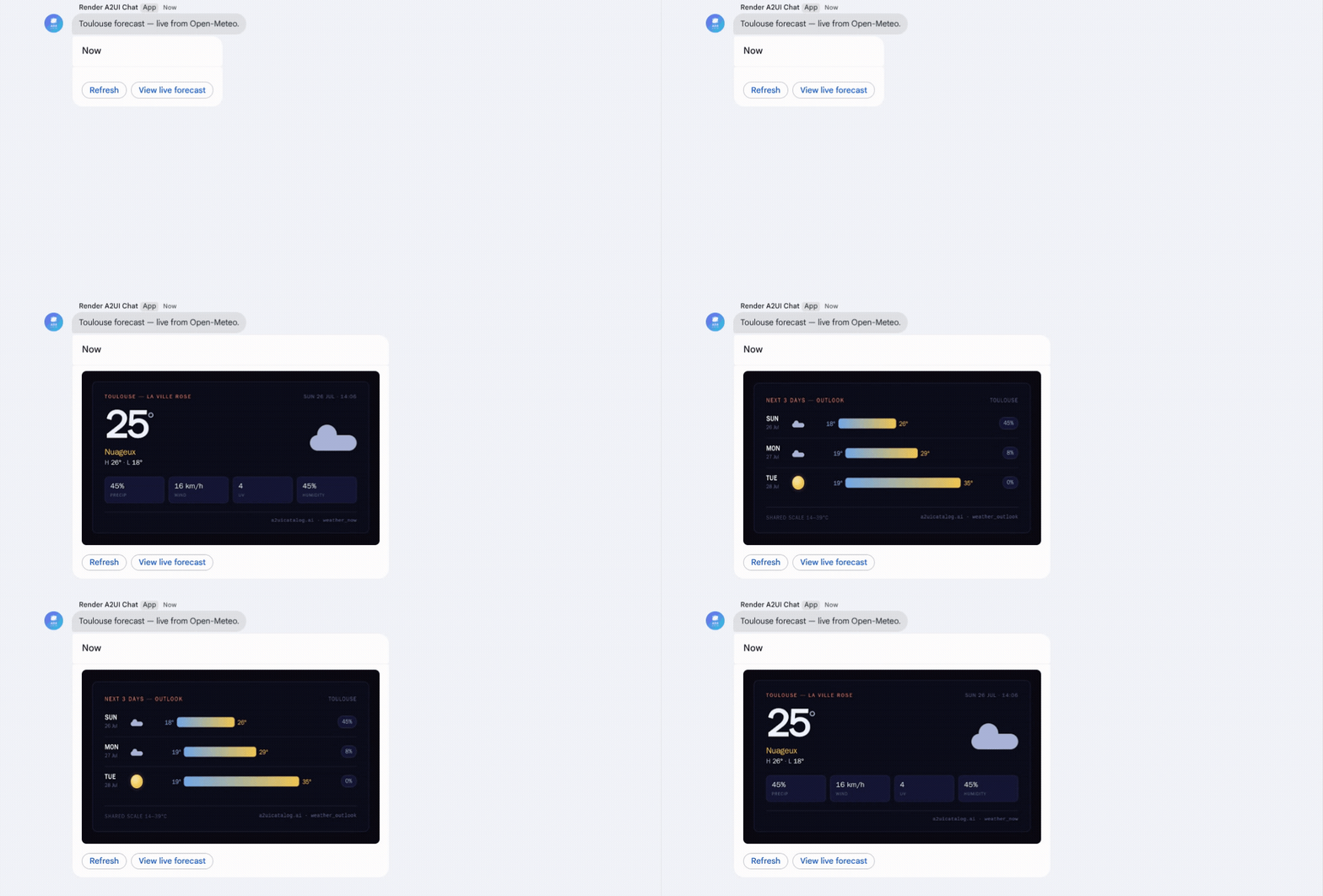
sla 82 is a single baked-image card — the fastest way to confirm the
round trip works end to end. workspace stats and bare weather, on the
other hand, both render as real native Chat widgets by default
(decoratedText), not images at all — live data from Google's own status
feed and Open-Meteo, composed directly from Chat's own primitives. That's
deliberate: it's the direct "before" comparison for what comes next. Add
gif to either command and the exact same data now renders as one
animated image instead, through /render.gif — the print channel doing
the part native widgets structurally can't (a full multi-card dashboard,
custom typography, real charts), at the cost of losing the native
widgets' live interactivity.
Key takeaways
The print-channel pattern itself isn't new information at this point —
the Gemini Enterprise series already proved it. What's new here is that
Chat and GE hit the identical wall by two completely different routes (a
fixed A2UI primitive catalog vs. a fixed cardsV2 widget set) and both
get solved the same way: render server-side, deliver a plain image URL,
compose it with whatever native widgets the surface does have for the
interactivity the picture can't carry.
Nothing about that fix is specific to A2UI, either. Swap "atom" for whatever an agent is trying to express and the pattern is the same one any agentic system needs the moment it wants richer visual output than its host surface's native widget set allows: headless-render the real HTML/CSS server-side, hand back a plain image URL, and let the host's native primitives carry the interactivity the picture can't. A2UI just happens to already have a clean atom-to-HTML pipeline sitting there to reuse — an agent hand-rolling its own HTML/CSS on the fly hits the exact same wall, and the exact same fix applies, on Chat, on Slack, on email, on anything that can display an image and nothing more exotic than that.