Adding an MCP App to Gemini Enterprise, Step by Step
No more refactoring required
The earlier field report
reached Gemini Enterprise by refactoring — taking an MCP Apps app and
rebuilding it as an A2A agent speaking GE's own native A2UI vocabulary,
because at the time that was the only door in. Wall Builder as it exists
there is the product of that port: 18 standard-catalog primitives, an A2A
agent backend, Drive export via a service account — the last of which is
what eventually hit a real wall (Google Chat's attachments:upload
flatly refuses app/service-account auth: 403 PERMISSION_DENIED, "This
method doesn't support app authentication with a service account.
Authenticate with a user account."). Native A2UI in GE is real and it
works, but reaching it meant leaving the open standard at the door.
That door has a different lock now. This piece hooks the same MCP Apps
server (a2uicatalog.ai/mcp) straight into Gemini Enterprise through its
Custom MCP Server connector — no A2A rewrite, no native-vocabulary
port, the actual MCP Apps spec
server rendering in a sandboxed iframe the same way it already does in
Claude and ChatGPT. Same connector mechanism Part 1 of the portability
series used to reach a third host with
zero adaptation — GE turns out to be a fourth, just with more setup
between "the server exists" and "GE will actually call it."
Step 0: the org policy has to allow it
Google ships custom MCP connectors off by default, project-scoped:
constraints/discoveryengine.managed.disableCustomMcpServerConnector
Confirmed feature timeline, for anyone hitting this cold: launched April
28 2026 (org-policy-gated from day one), No-Auth support added July 22
(Public Preview), auto-discovery via tools/list on August 6, GA August
7. All four entries live in Google's own release notes.
Check whether it's enforced:
gcloud org-policies describe discoveryengine.managed.disableCustomMcpServerConnector \
  --project=YOUR_PROJECT_ID --effective
If enforce: true, an org admin overrides it — project-scoped if your org
allows overrides, org-wide otherwise (roles/orgpolicy.policyAdmin
required either way):
name: organizations/YOUR_ORG_ID/policies/discoveryengine.managed.disableCustomMcpServerConnector
spec:
  rules:
  - enforce: false
A second constraint blocks the connector silently even after the first is cleared — an empty egress FQDN allowlist, enforced by default:
name: organizations/YOUR_ORG_ID/policies/discoveryengine.managed.allowedEgressFqdns
spec:
  rules:
  - enforce: true
    parameters:
      allowedEgressFqdns: ["a2uicatalog.ai"]
      enforcedProjects: []
Without this one, the connector accepts the registration call and then
sits in INITIALIZATION_FAILED with a generic, useless code: 13
"pipeline failure" — no mention of egress anywhere in the error. If
you're scripting this against the API rather than clicking through the
console, that's the failure mode to recognize.
Step 1: register the connector
Two ways to do this — the console is the supported, documented path; the API call is what's actually running underneath it, useful once you want this scripted or repeatable.
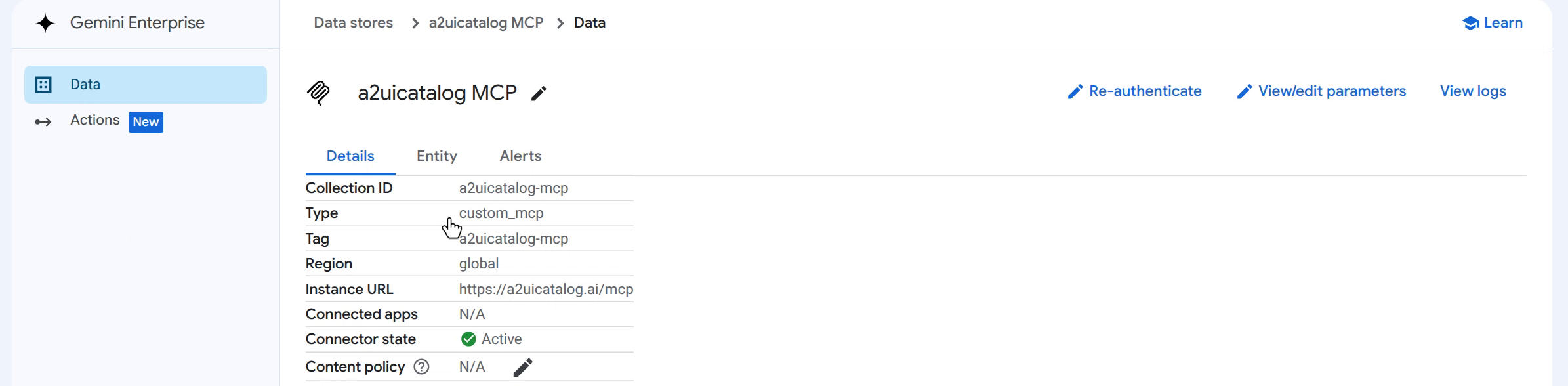
Option A — console. Data Stores → Create data store → Custom MCP Server → Add MCP server:
Server URL       https://a2uicatalog.ai/mcp
Authentication   No authentication
Connector modes  Actions (tool-calling)
Save, and GE reads the server's tools/list response once to populate
the connector's registry entry.
Option B — API. The real request shape isn't in the API's discovery document anywhere — it took a sanitized HAR capture of the console's own call to find it:
curl -X POST \
  -H "Authorization: Bearer $(gcloud auth print-access-token)" \
  -H "x-goog-user-project: YOUR_PROJECT_ID" \
  -H "Content-Type: application/json" \
  "https://discoveryengine.googleapis.com/v1alpha/projects/YOUR_PROJECT_ID/locations/global:setUpDataConnector" \
  -d '{
    "collectionId": "a2uicatalog-mcp",
    "collectionDisplayName": "a2uicatalog MCP",
    "dataConnector": {
      "dataSource": "custom_mcp",
      "connectorSourceId": "custom_mcp",
      "params": {
        "oauth_access_token": "unused",
        "auth_type": "AUTHORIZATION_TYPE_UNDEFINED"
      },
      "refreshInterval": "86400s",
      "entities": [{"entityName": "mcp_data"}],
      "dataSourceVersion": 1,
      "staticIpEnabled": false,
      "actionConfig": {
        "actionParams": {
          "instance_uri": "https://a2uicatalog.ai/mcp",
          "auth_type": "NO_AUTH",
          "mcp_server_source": "BYO_MCP"
        },
        "createBapConnection": true,
        "isActionConfigured": false
      },
      "connectorModes": ["FEDERATED"]
    }
  }'
The oauth_access_token: "unused" line is not optional even in No-Auth
mode — omit it, or put the real server URL there instead, and the API
rejects the call with "Data Connector parameters must be one of:
oauth_access_token." The actual server URL and auth mode live one level
down, in actionConfig.actionParams — a decoy top-level params field
next to the real configuration, discoverable only by reading back what
the console's own call actually sent.
A GET on the same collection confirms state: ACTIVE once it lands.
Tools sync automatically from there — no separate registration step, the
connector's own tools/list call is what GE uses to populate the Actions
panel.
A word on No-Auth: it's probably not the common case for an enterprise
adding a custom MCP server — most real deployments will want the OAuth
path instead. But if you want to test this without standing up your own
server first (though it's a lot more fun to make your own :P), point at
mine — https://a2uicatalog.ai/mcp, No authentication, same as above.
It's the same free public endpoint everything in this piece runs
against.
Step 2: enable the actions
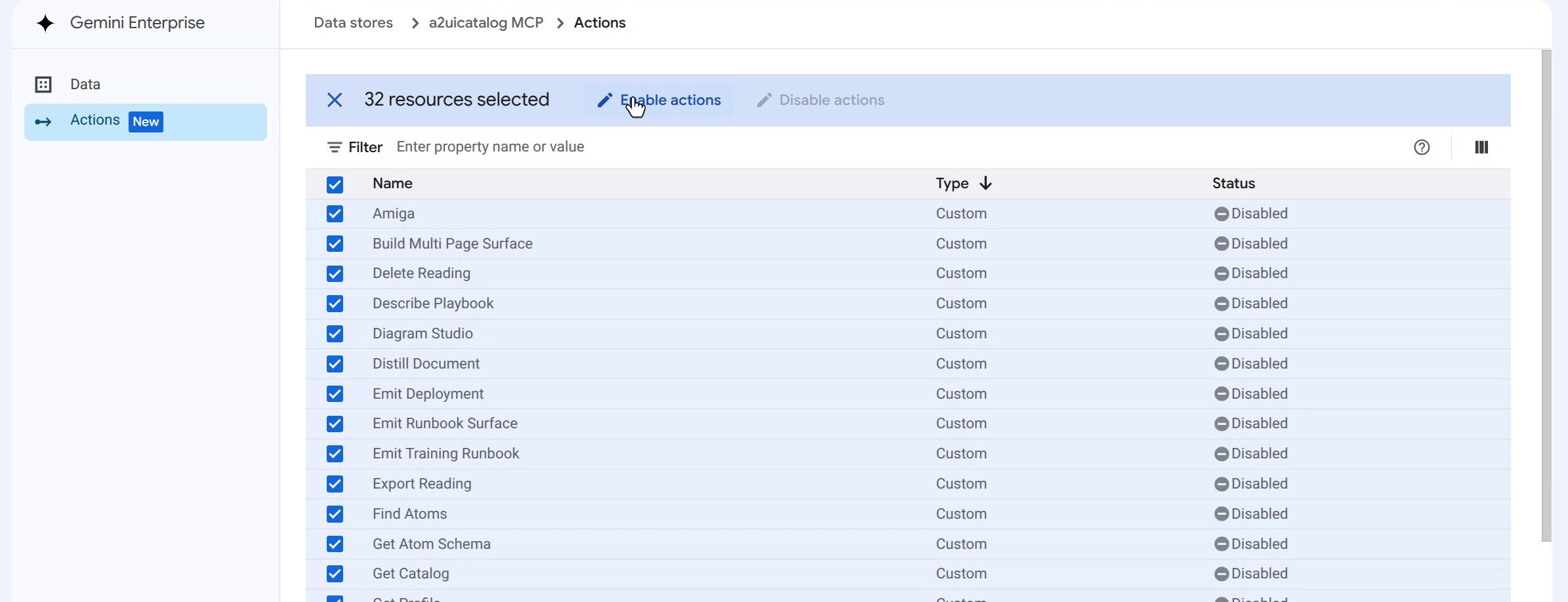
Data store → Actions tab → Reload custom actions → select the
tools to expose → Enable actions. This is a separate step from
connector registration; skipping it is why an otherwise-ACTIVE
connector can still show zero available tools.
Demo 1: Open Workspace
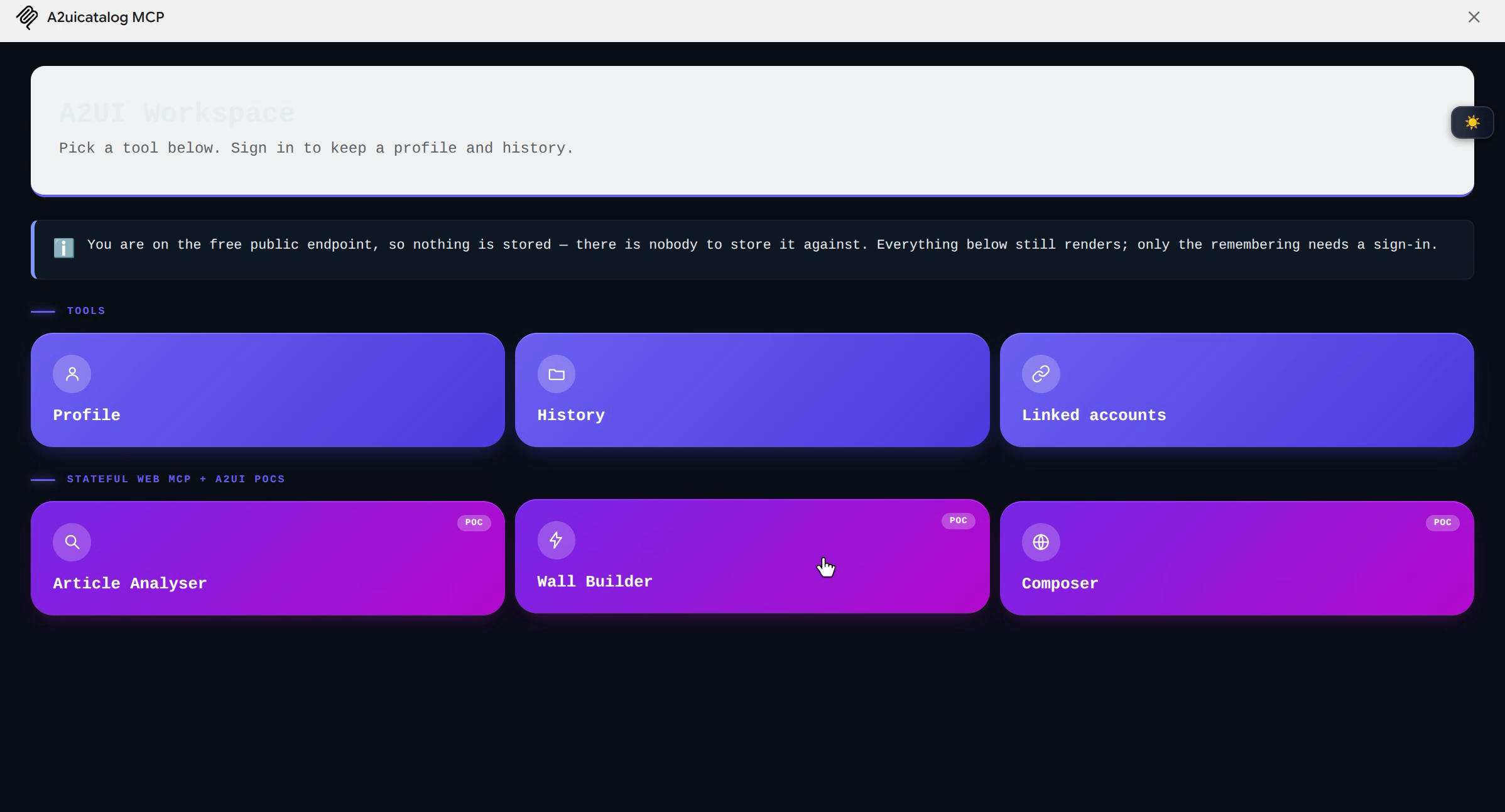
open_workspace is the same tile-based home screen the MCP Apps
portability piece showed rendering
identically in Claude and ChatGPT — Profile, History, Linked accounts,
Article Analyser, Wall Builder, Composer, all as tool tiles on one surface, all state
server-side. Asked for by name ("open the workspace") it renders inline
in GE exactly like the other two hosts: same payload, same renderer, zero
GE-specific code.
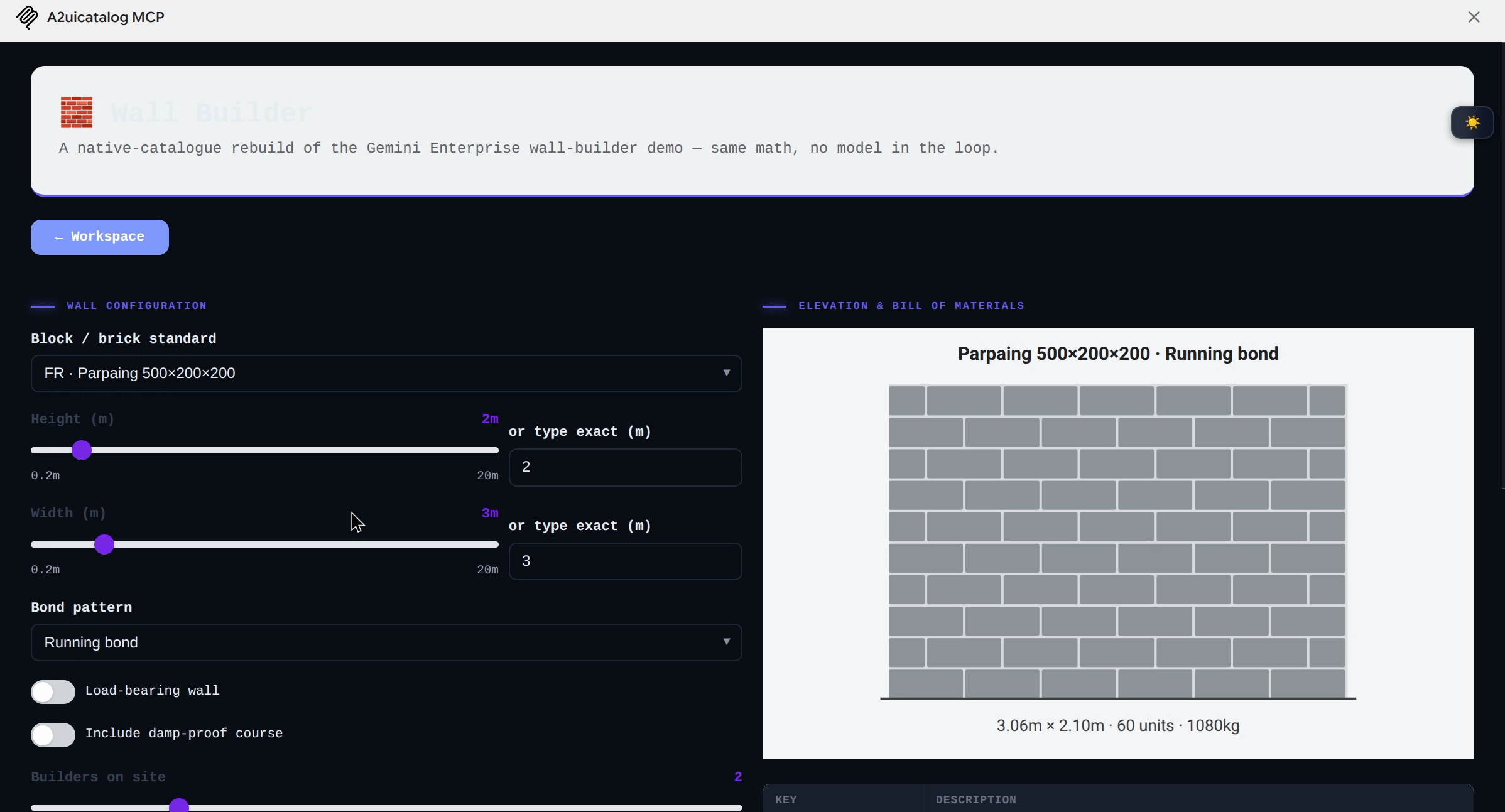
Demo 2: Wall Builder, the MCP version
Wall Builder here is a deliberate rebuild, not the same code as Part 1's native-A2UI version — same wall-calculation math (course counts, weight, mortar, the crew-size build curve), verified byte-for-byte against the original formulas, but composed from this catalogue's own atom vocabulary instead of GE's native primitives, and without the Drive export leg. That omission is deliberate: Drive export needs a service-account impersonation chain this Workspace doesn't have, and Part 1 already found out what happens when you try to route around that with a service account on the wrong Google Chat endpoint. The comparison is the point — same underlying tool, two different rendering paths into the same host, one open standard and one closed one.
Demo 3: composing a page from nothing
Open Workspace and Wall Builder are both pre-built views — open_workspace
and wall_calc already know exactly which atoms to use. The more
interesting test is asking for something the server has no fixed view for
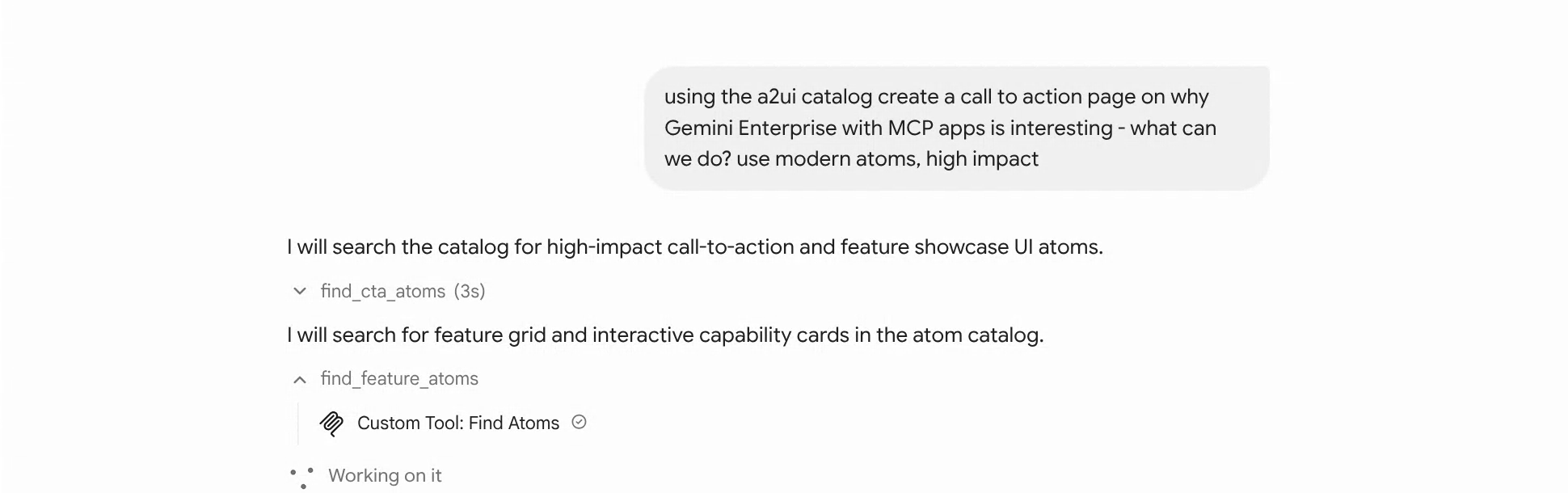
at all: "using the a2ui catalog create a call to action page on why
Gemini Enterprise with MCP apps is interesting - what can we do? use
modern atoms, high impact."
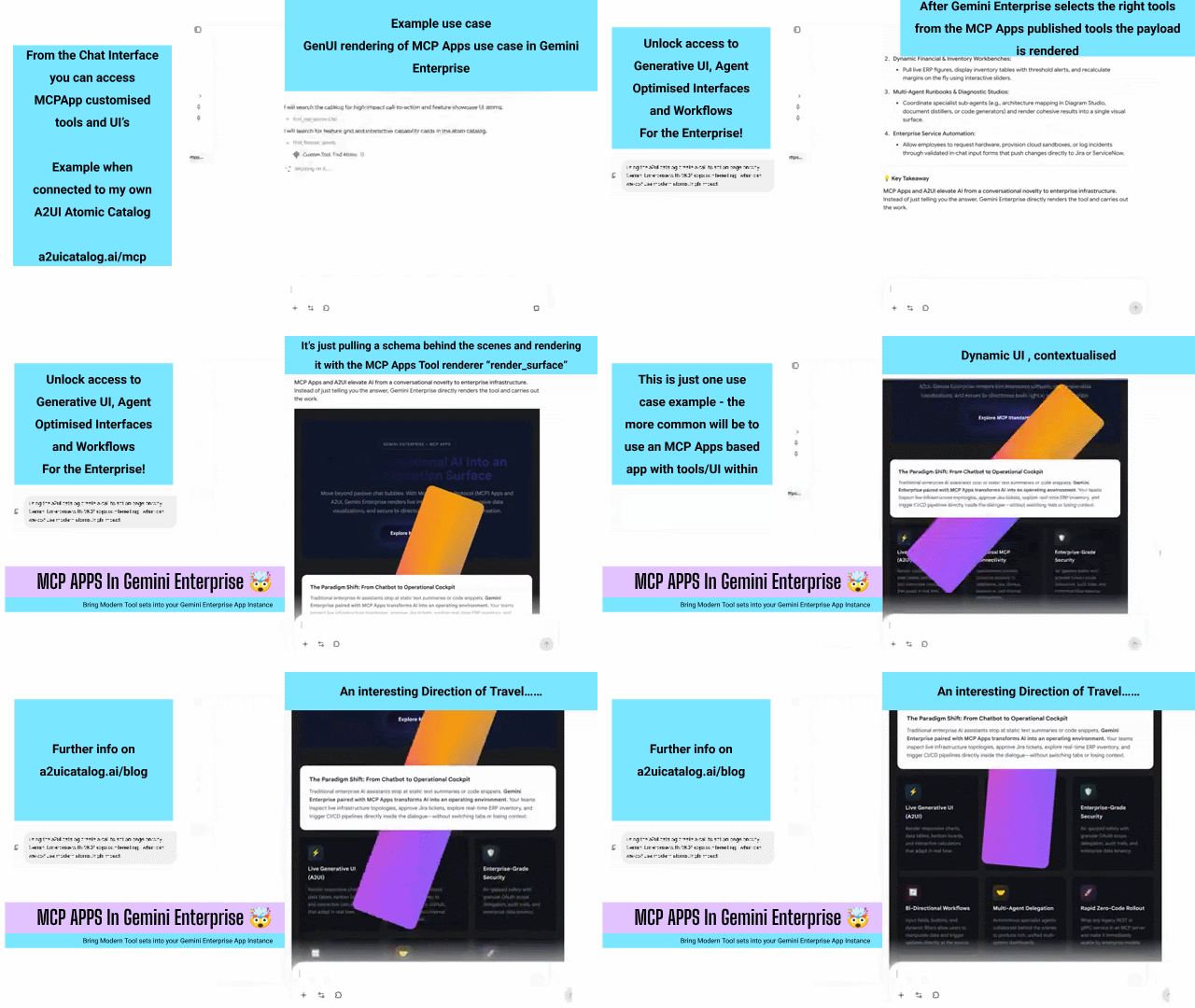
There's no render_cta_page tool for that. What ran instead was a real
schema-introspection chain — find_cta_atoms, find_feature_atoms,
get_atom_schemas, check_card_schemas, find_metrics_layout_atoms,
get_columns_schema — the model searching the catalogue for atoms that
fit the brief, checking their prop schemas before using them, then
composing and rendering the result with render_mcp_cta, refining it once
with refresh_mcp_surface, and shipping a shareable link with
create_preview_link.
What came out the other end was a full dark-themed landing page — hero, a six-card feature grid, a stat callout, a CTA button — assembled from atoms the model had never been told to use for this specific purpose, picked by querying the catalogue rather than by a hardcoded view. Fittingly, the copy it wrote pitches exactly the mechanism that produced it: "MCP Apps and A2UI elevate AI from a conversational novelty to enterprise infrastructure. Instead of just telling you the answer, Gemini Enterprise directly renders the tool and carries out the work."
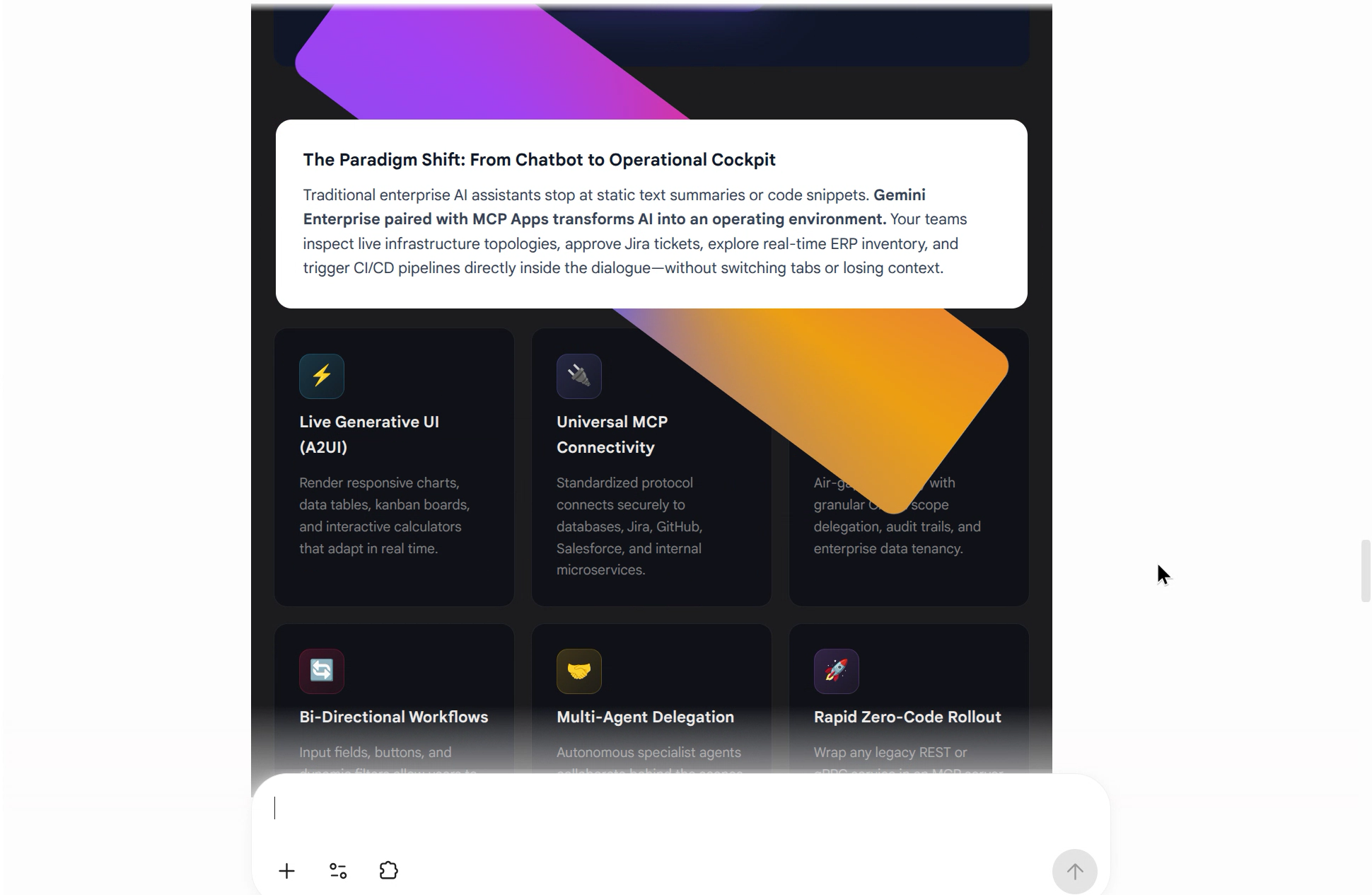
It also came with a shareable preview link and three suggested follow-ups — add a live form, connect internal Jira/GitHub MCP servers, export the surface as standalone HTML — which is the same generality showing up a second time: the model treating "make a page" as a search-and-compose problem over the catalogue, not a fixed menu of views.
Demo 4: a second MCP App, same mechanism
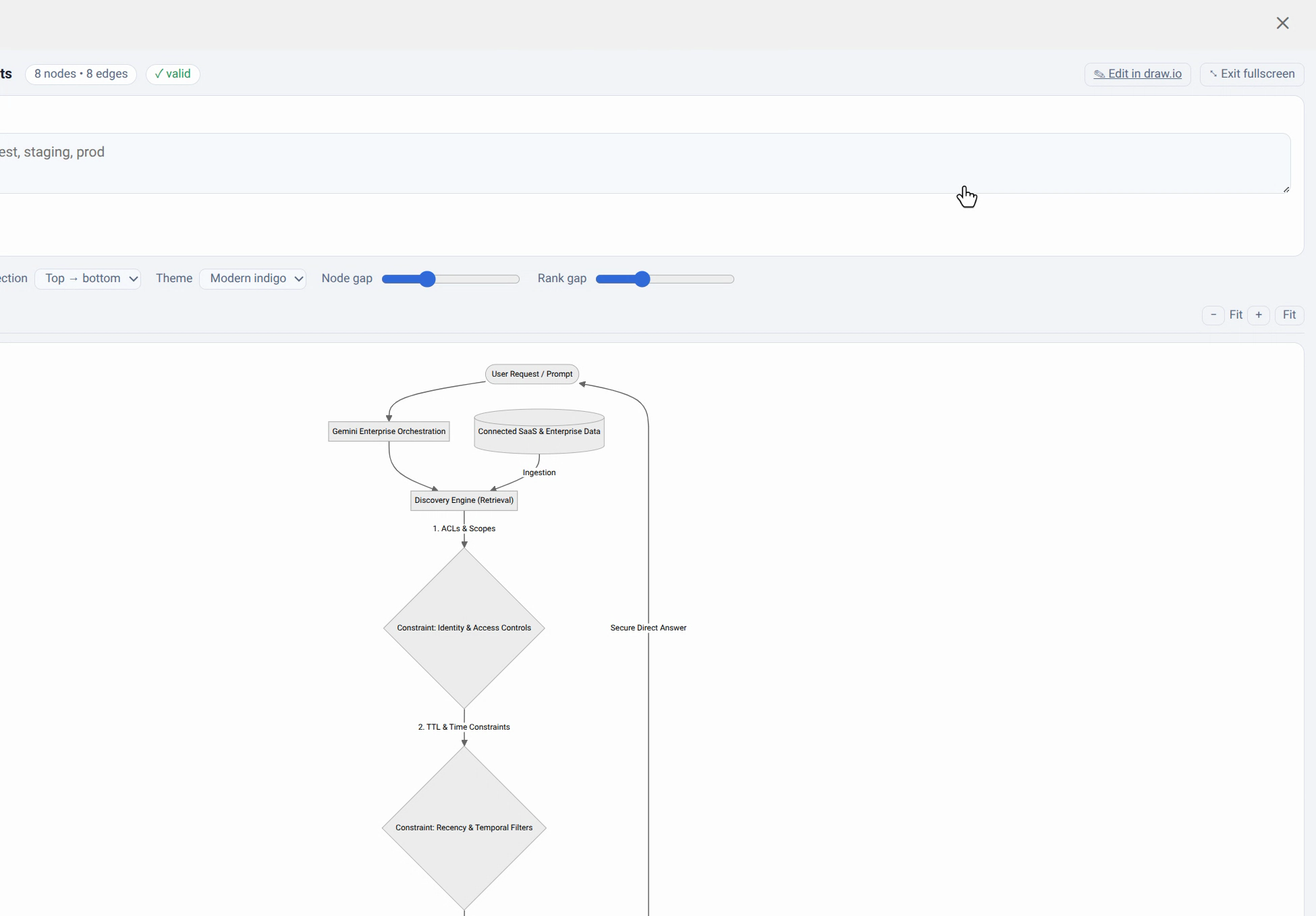
Everything above runs through one MCP App. Diagram Studio — the graph-in, four-formats-out flowchart tool this catalogue also serves — is a completely separate app with its own view, and it works in GE with zero extra wiring: "Using diagram studio plot the architecture for gemini enterprise paying particular attention to constraint that can be controlled on the discovery engine."
GE researched the actual question first — Discovery Engine's real
retrieval constraints, ACLs and scopes, TTL and time constraints,
boost/bury rules — then called diagram_studio with a graph built from
what it found, rendering the flowchart inline: User Request → Gemini
Enterprise Orchestration → Discovery Engine (Retrieval), gated through
three labelled constraint nodes down to a Grounded Synthesis step. Same
search-the-catalogue-then-compose pattern as Demo 3, on a second,
unrelated app, with nothing app-specific built to support it.
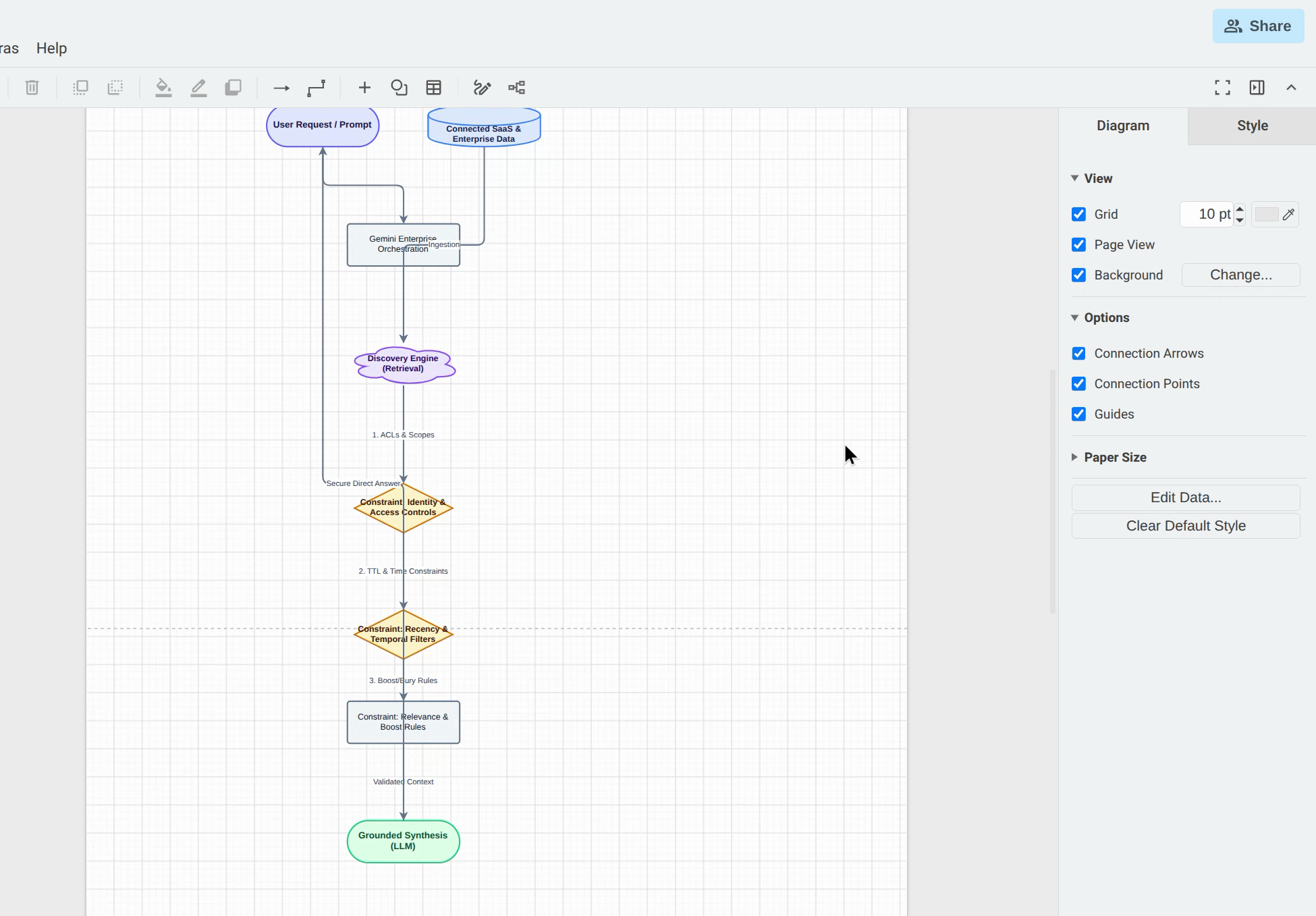
The studio's "Edit in draw.io" hand-off worked too — the real, self-hosted draw.io editor, opened as a genuinely editable canvas with the same diagram already loaded, not a static export. It survives GE's CSP for a specific reason: it's a plain top-level navigation, not a framed or blob-loaded resource, so none of the restrictions that otherwise block this catalogue's WASM-based engines apply to it.
Bug handling
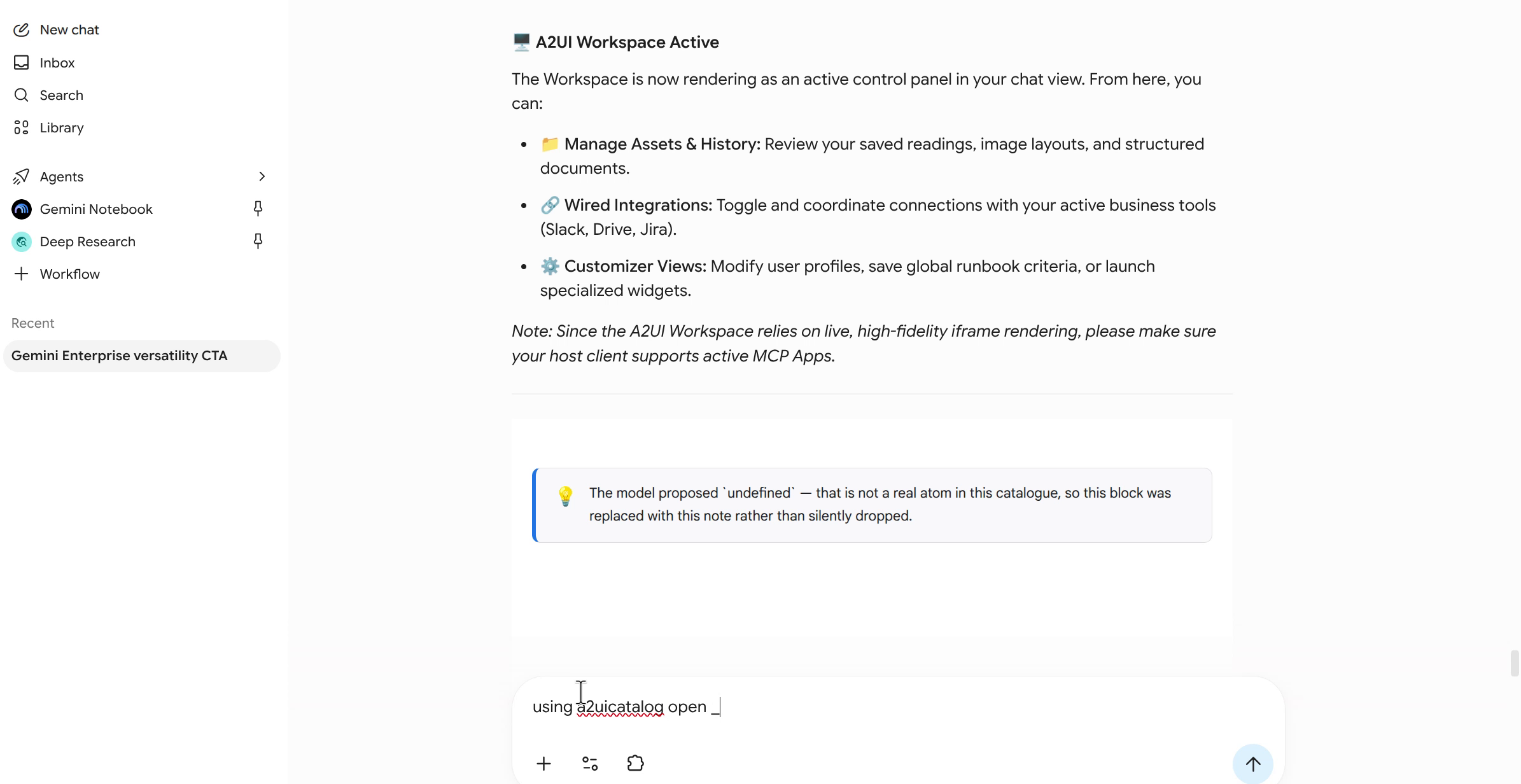
Asked to open the Workspace, the model in GE didn't call open_workspace
— despite render_surface's own tool description explicitly saying
"if the user names one of the Workspace's own pre-built views... call
open_workspace(view: ...) instead of composing one here yourself." It
called render_surface instead, with a degenerate placeholder payload:
{"blocks":[{}]} — no title, one block, no type at all. Every attempt,
same shape, confirmed live via a temporary debug log added to the
connector for exactly this diagnosis.
The payload is schema-valid nonsense, not a malformed call the input
schema should have caught: blocks: [{}] satisfies items: {type:
'object'} with room to spare. It's a real, if narrow, tool-selection bug
— the model ignoring its own tool's explicit routing instruction and
substituting an empty guess for a different, correctly-named tool.
Fixed server-side rather than waiting on a model fix: render_surface
now recognizes that exact shape (no title, ≤1 block, no type — a shape no
legitimate call could produce) and redirects it to the real Workspace
home view instead of surfacing the "not a real atom" notice for an empty
guess.
LLM calls still need ironing out
Some Workspace flows — Article Analyser, Composer — need a model call to
do their actual work. They don't make that call themselves: the public
a2uicatalog.ai/mcp endpoint is free and anonymous, so it has no tokens
of its own to spend. Instead the app sends the drafted request to the
host platform or client of the MCP App, and lets whichever model is
already sitting there — on whatever budget the human's already paying
for — take it from here.
That's been tested a while back on Claude and ChatGPT. Wiring the same
mechanism up for Gemini Enterprise is where my own app still has testing
and debugging left to do — not a GE-wide issue, just my build's own
confirm-then-send flow not yet tuned for this particular host. For
ChatGPT, sending was automatic. For Claude and for GE alike, a human has
to confirm each message before it sends — and in my current build that
appears to trigger flickering between full-screen and part-screen mode,
not settling cleanly into either. That's mine to fix: I already shipped
one real improvement server-side — skipping the automatic fullscreen
request for any wired view whose blocks carry a host:message action,
so a view that needs the chat box isn't yanked into fullscreen on load
— but there's more tuning left on my side before this flow is clean
specifically on GE.
Underneath that is a bigger open question: where MCP Apps actually positions itself inside Enterprise. My guess is that app vendors whose clients already need MCP as the protocol to connect to their platform will end up unlocking MCP Apps as part of that same integration — a lower-friction route to sharing a tool, in the MCP sense of the word, that's genuinely multimodal. I need to find some time to dig into this further — more likely a Sunday morning activity. TBC.
What's still open
This is the No-Auth path — anonymous, same as the public demo endpoint, fine for proving the mechanism. GE's connector also supports full OAuth 2.0 (Authorization URL, Token URL, Client ID/Secret, PKCE), which is what turns "a connector calling tools" into "a connector acting as the signed- in user" — per-user Drive/BigQuery/whatever access, no service account in the path at all. That's the natural next piece.
Where that piece would actually plug in depends on where the server itself lives. Mine runs on Cloudflare today — a Worker in front of a Durable Object holding per-user state (profile, history, readings). The OAuth handshake hasn't been built, but the shape is obvious: the Durable Object would hold a refresh token the same way it already holds everything else, and the handshake itself would be a cross-cloud HTTP call out to Google's own authorization server.
Hosting the same server on GCP instead removes that cross-cloud hop entirely — Cloud Run in place of the Worker, Firestore in place of the Durable Object, Secret Manager for the OAuth client secret. Same-project IAM means the authorization handshake never leaves Google's own network, which is a real simplification if Drive/BigQuery access ends up being the main point of adding OAuth in the first place.
Further reading
Thanks to Richard Shenghua (升华) He for the heads-up that this was even possible — his own walkthrough is worth a watch if you want a second, more general take on building MCP Apps for Gemini Enterprise: How to Build Interactive MCP Apps in Gemini Enterprise.