A2UI: How basic is the basic catalog?
After the official A2UI launch we went back to basics. The SDK makes macros very interesting: a model writes one short call, the server expands it into ordinary components, and the client needs no new code. So we asked how far the Basic catalog can be pushed, and with it how varied macros can get.
A note on scope: in the upstream macros guide, macros are not limited to the Basic catalog. They can expand into components from the Basic catalog, your own custom catalogs, or both. What Basic gives you is reach, because every client already has it.
How we got here
We did not start from a plan to push Basic as far as it goes. Each step came from the result of the one before. The numbers are from our noughts-and-crosses comparison of 5 November: one game, the official React renderer (0.15.0), headless Chromium, and they were not re-run for this article.
- Could a real game run on the official renderer with only Basic components? Yes: Column, Row, Button and Text, with the referee and the search on the agent side.
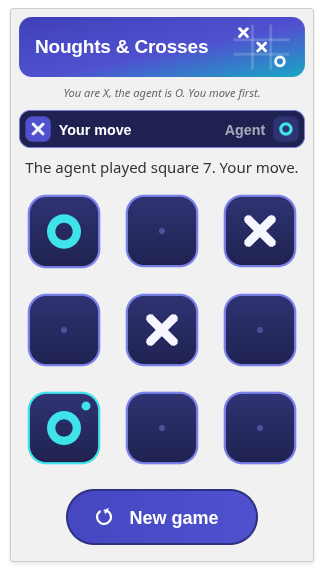
- Could it look good? We redrew it with gradient tiles and banners as inline SVG images. It looked modern, but each message grew from 3.2 KB to 12.8 KB on create, and from 0.7 KB to 7.3 KB on the largest update. Basic gave us no control over colour, font or spacing, so the look came from pictures and not from components.
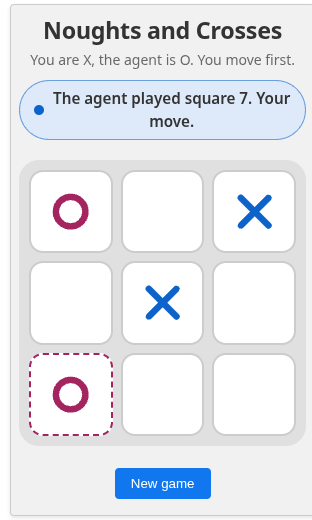
- What would our own catalogue add? We built the same game with custom components for the board, the result and the status, registered in the host. The messages shrank to 1.4 KB and 0.3 KB, and the board became a real grid with one Tab stop, real headings, and motion that respects reduced motion. The host pays for it: 10.5 KB of extra code (3.6 KB gzipped) on top of a 621 KB renderer, and it has to register our catalogue. We also compared it with a plain HTML version: 6.6 KB in one file, no dependencies, and the same moves and results as the agent-driven game in every legal line of play (measured earlier). It is a separate app and not an agent-driven UI.
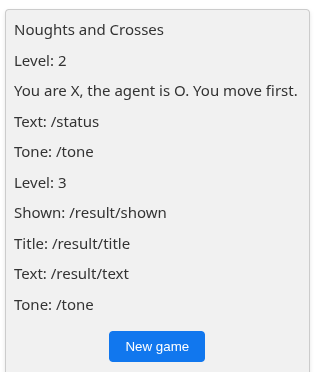
- What happens to a host that does not have our catalogue? Our own lowering to Basic failed badly: the board was dropped and no move could be played. A single surface has one component tree, so it cannot hold our version and a Basic version of the same screen at once. The agent has to choose. What worked was for the agent to read the host's supported catalogues and send the plain Basic design to a host that lacks ours.
- Where does Basic itself run out? We built a second game with more state, Connect Four. It needed a drawn board, so a macro draws it as an Image.
- How should things move? We compared sending animation frames against letting the client animate, at the protocol level (synthetic cases, one author, bytes only). Streaming frames lost by 30 to 100 times. Version 1.0 has no animation message, so today an animation has to live in a component or inside the picture itself. That is rung 5 of the ladder below.
- What does each choice cost? The message sizes are in the table below.
The capability ladder
Each rung is one thing you can do with only stock Basic components, on the official renderer, with no custom component. The pictures are real renders from the published React renderer (0.15.0), made for this article. Rungs 1 and 2 are Basic as it was designed. Rung 3 is where it levels up: a macro draws a picture on the server, and the client only has to show an Image. Rungs 4 and 5 are what that one trick unlocks. With Basic, our code stays on the server and the host renders only stock components.
What Basic gives you, in six lines. From the 1.0 Basic catalogue definition (18 components and 14 functions):
- Show content: Text, Image, Icon, Video and AudioPlayer.
- Arrange content: Row, Column, List, Card, Tabs, Modal and Divider. Row, Column and List can repeat their children from a data list.
- Take and check input: Button, TextField, CheckBox, ChoicePicker, Slider and DateTimeInput. All six accept validation checks.
- Bind to live data: any property can take a data binding or a function call.
- React to the user: a Button fires an action.
- Compute and format:
and,or,not;formatCurrency,formatDate,formatNumber,formatString,pluralize;email,length,numeric,regex,required; andopenUrl.
| Rung | What it adds, and the evidence | Rendered on the stock renderer |
|---|---|---|
| Basic as designed | ||
| 1. Plain components | Text, Column, Row, Card and Button. | 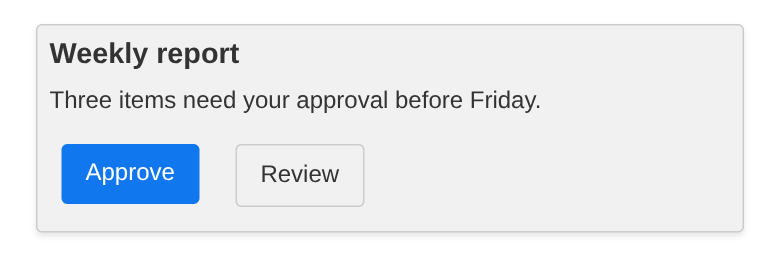 |
| 2. A whole atom reduced to Basic | Of our 573 published atoms, 551 have a Basic case: the atom's example, reduced to Basic components only. We re-ran them on 15 November 2026 with v0.9 messages, and 539 of the 551 paint on React 0.15.0, 541 on Lit 0.15.0 and 540 on Angular 0.14.0. Each renderer was run once, and the other 22 published atoms have no Basic case yet. Paints means the case shows something, not that it looks right. (Corrected 15 November 2026: an earlier version of this row said "our 670-atom catalogue" and quoted 656, 658 and 657 from an 8 November run. Those figures count 670 cases, which include atoms that are not published, so they were not counts of published atoms.) This one is our pricing tier card. | 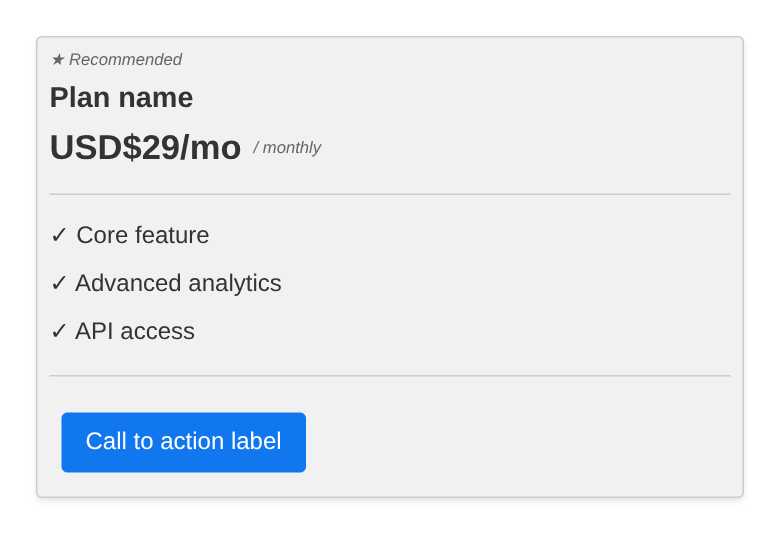 |
| Basic levelled up: draw a picture on the server | ||
| 3. A drawn picture level up | A macro draws an SVG on the server and returns it as a Basic Image. This is the rung that raised the ceiling, because Basic has no chart or board component. Rendered here: a treemap from our d3 pack. | 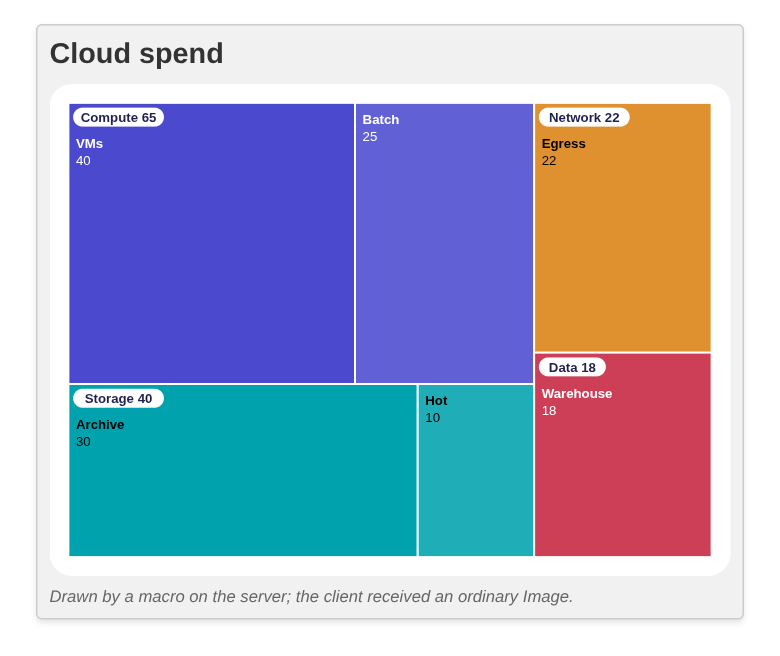 |
| 4. State and moves | Buttons send an action, the server answers with one data-model update, and the picture is redrawn from the state. This is Connect Four after three moves. | 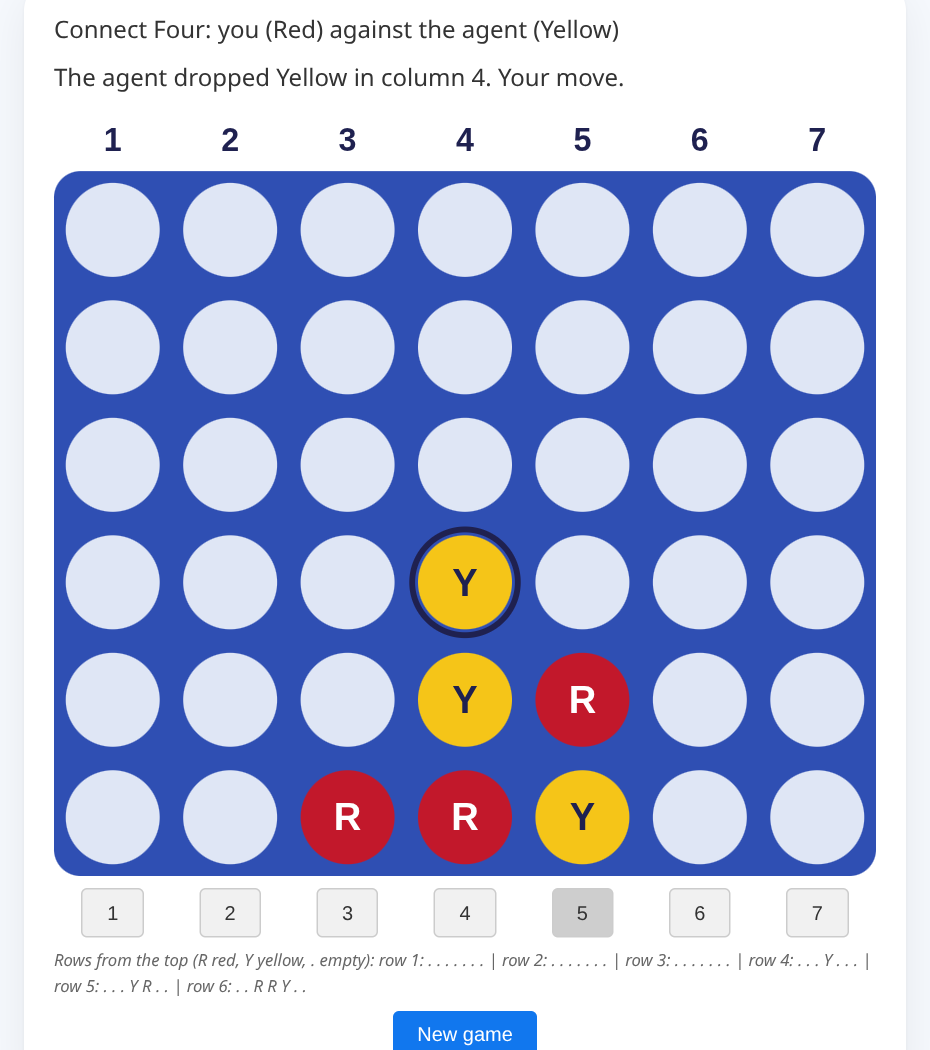 |
| Pro level Basic catalog: mind blown, motion with no custom component | ||
| 5. Motion inside the picture | This is the real payload, rendered on the official renderer: one Express line expanded by a macro into 15 stock components, 28.6 KB of messages, the animation inside one Image (measured, our 7 November test: the pixels differ between 4 s and 25 s, no errors, no network requests, React only). Limits: reduced motion is not honoured inside an image, and the animation is not accessible beyond its alt text. Not used here, but it works: we have also driven this same route with RFC 6902 patches, in our isometric pipeline and scene-kit demos. The agent sends patch operations, and an adapter turns them into data-model updates, because stock A2UI has no patch message: its agent messages create surfaces, update components, update the data model and delete surfaces, and in v1.0 call functions, but none of them applies a patch. The Image url is built from references into the data model, so a patch changes only a few values. In the run shown the two patches were 365 and 345 bytes of messages. Each patch reloads the whole Image, so the smooth motion between patches still comes from the CSS animation inside the picture (measured earlier, 10 November, one environment, React only). |  |
A side note on rung 3. A drawn picture reaches any host that shows a Basic Image and accepts an SVG as a data URL. We measured that on the official React renderer. We have not tested whether native renderers such as Flutter or Jetpack Compose decode an SVG inside an Image, so they may need an extra decoder for it. Where an SVG does not draw, there are two ways round it. The macro can return a PNG instead, which every image decoder shows, at the cost of more bytes and a fixed resolution. Or the agent can fall back to plain Basic components, as in the noughts-and-crosses fallback below.
The same game, four ways, and where Basic stops
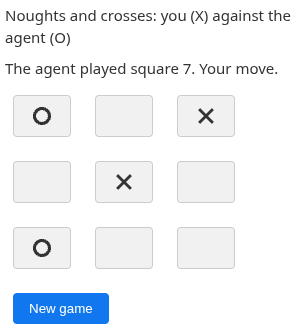
One game, noughts and crosses against an agent, on the official React renderer. Every version has the same contract: nine squares that send a play action, a New game control, and a status line. The first three are shown mid-game. In the plain and image versions you press Tab to move and Enter to play. In the custom version one Tab stop takes you to the board and the arrow keys move between squares. The numbers are from our comparison script on 5 November (headless Chromium 153, one scripted game of four messages) and were not re-run for this article.
| Version | Create message | Largest update | One game | Extra code in the host | Keyboard |
|---|---|---|---|---|---|
| Plain Basic | 3,194 B | 719 B | 5,063 B | None | 10 Tab stops, no arrow keys |
| Basic with gradient images | 12,754 B | 7,305 B | 33,807 B | None | 10 Tab stops, no arrow keys |
| Our custom catalogue | 1,363 B | 297 B | 2,222 B | 10.5 KB minified (3.6 KB gzipped), on a 621 KB renderer | One Tab stop for the board, arrow keys move |
| Custom game on a host without the catalogue | 1,628 B | None | 1,628 B | None | No squares to play |
Plain Basic is playable and ships no code. The gradient images look best but cost the most bytes. The custom catalogue has the smallest messages and the best keyboard behaviour, and it costs the host extra code and an agreement to register it. The last row is what happens when the host has not: the board is gone.
We also wrote the same game as one plain HTML page, which you can play here. It is 6.6 KB (2.9 KB gzipped), has no dependencies and makes no network requests, and its nine squares and New game control are real, named buttons that work with Enter and Space (measured earlier on 5 November, not re-run). It is a separate app and not an agent-driven UI, so it is not a row in the table.
A bigger game
Rung 4 of the ladder was Connect Four, played against an agent on stock components: one Image drawn on the server, seven Basic Buttons and the game state in the data model.
Did we break the ceiling?
No. We raised it, and we can say where it now stops.
| Row | Basic alone | With the drawn Image | Still out of reach |
|---|---|---|---|
| Forms, text, layout | Yes | ||
| Charts, boards, diagrams | No | Yes, as a static picture | Hover, zoom, partial updates |
| A game | No | Yes, with Buttons and server state | Pieces as real, accessible elements |
| Motion | No | CSS animation in an SVG, on React | Reduced-motion support inside the image |
Which route should you pick?
The ways we built the same noughts-and-crosses game, side by side. Read it as a menu and not a league table: the first and last rows are not A2UI at all, and every figure is from our 5 November comparison (measured earlier, one machine, not re-run).
| Approach | Agent-driven? | Code the host needs | Messages (create / largest update) | Keyboard | Where it works |
|---|---|---|---|---|---|
| Plain HTML page | No | The page itself, 6.6 KB | None | Enter and Space, real buttons | Any browser, but not inside a chat host |
| Plain Basic | Yes | None | 3,194 B / 719 B | 10 Tab stops, no arrow keys | Any host with the Basic catalogue |
| Basic with drawn images | Yes | None | 12,754 B / 7,305 B | 10 Tab stops, no arrow keys | Hosts that draw an SVG in an Image: measured on the React renderer, other platforms untested |
| A custom catalogue: ours (a2uicatalog) or your own | Yes | Ours: 10.5 KB minified, on a 621 KB renderer, plus registering it. Yours depends on what you build | 1,363 B / 297 B | One Tab stop for the board, arrow keys move | Hosts that register the catalogue; without it the board is dropped |
| An MCP App | Not an A2UI payload | An HTML app in a sandboxed iframe | Not built | Not measured | Hosts that support MCP Apps; untested by us |
Pick Basic when you cannot change the host. Pick a custom catalogue, ours or your own, when you can, and the board must be a real, keyboard-friendly component. The custom-catalogue figures in the table are for ours, so yours will differ. The drawn Image sits between them: it needs no host code and costs the most bytes.
Text version of the decision tree
- Does an agent need to drive the UI?
- If No: A plain HTML page - or an MCP App, if it must live in a chat host (not built)
- If Yes: Can you change the host? - Register a catalogue, ship our code
- If Yes: A custom catalogue - ours or your own: small messages, best keyboard; the host carries the code
- If No: Does the screen need more than Basic can draw? - a chart, a board, an animation
- If No: Plain Basic - no host code; works on any host that has the Basic catalogue
- If Yes: Basic with a drawn Image - needs a host that draws an SVG; tested on React only, others untested
What we are not saying
This is not faster or better than a custom atom, and we have not compared speeds against a named baseline. a2uicatalog is independent and unofficial, and is not affiliated with Google or the A2UI project.
Updated 15 November 2026: an earlier version of this post had a section on Gemini Enterprise and referred to it in several places. We removed it. A specific follow-up is coming soon.