MCP Apps Isn't A2UI's Competitor — It's How It Travels
MCP gives an A2UI document somewhere to run. A2UI gives the document a portable rendering contract.
I recall some of the earlier descriptions of the Model Context Protocol being compared to USB-C for agentic tool connectors. You need to connect agentic processes together, and MCP is the potential glue that lets agents communicate with tools — and with each other — in one consistent way.
If I'm honest, I was a little sceptical initially. It felt like marketing. I may have been guilty of saying, "it's just an API, right?" Since experimenting a lot with A2UI across different use cases, I've begun to appreciate the power of a universally accepted protocol — if a use case doesn't need numerous adapters to push solutions to different surfaces and ecosystems, everything in theory becomes easier, because there's one less layer to worry about.
So once I finally realised that MCP Apps was not necessarily the enemy of the A2UI protocol, but rather a possible distribution channel for it, I was keen to experiment further.
The stack, laid out
First, I found it useful to ask Claude to help me visualise all of the elements in play — transport, envelope, document model, and the layers above them.

The transport layer is JSON-RPC 2.0 — the same boring, correct wire format MCP and A2A both already ride on. Nothing to prove there. What's actually worth walking through is the two layers above it.
So I asked Claude directly:
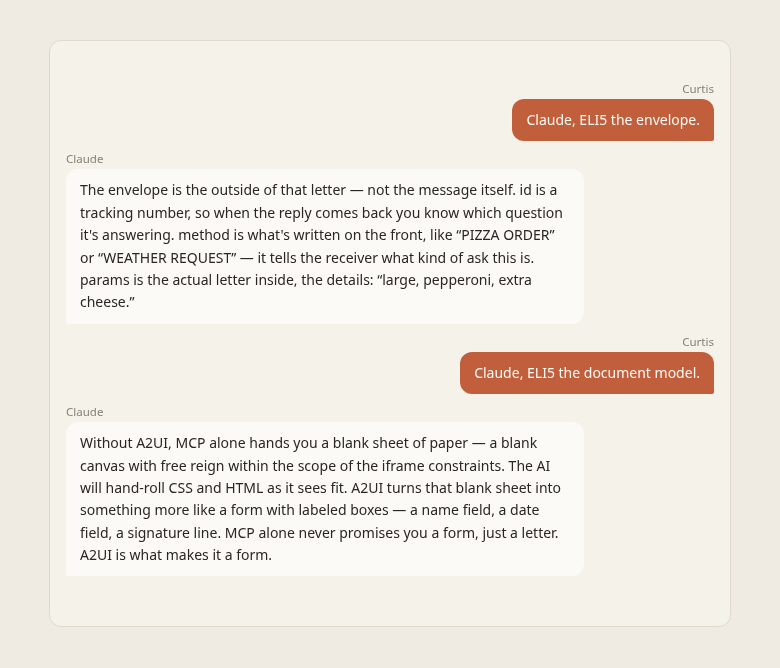
(Conversation rendered from a2uicatalog atoms).
This line is a keeper:
MCP alone never promises you a form — just a letter. A2UI is what makes it a form.
The bottom three rows in the diagram above — session and lifecycle, auth, state ownership — are real, and they're open. They're just not this piece's job: that's a separate write-up, on what it actually takes to give an MCP Apps surface a memory. Here, the only claim on the table is about the letter and the form it can (or can't) arrive in.
MCP Apps alone

MCP Apps alone already gets you a live, working render — a tool call resolves into a sandboxed iframe today, no A2UI required. The common pattern is the model authoring that markup fresh each call, so the same tool can render differently call to call. A completely legitimate choice, and probably the most common one in practice.
Adding A2UI

Add A2UI and the mechanism doesn't change — same MCP tool call, same sandboxed iframe. What changes is the tool returns a typed document instead of markup. Three different clients render the same document consistently, because they're all reading the same schema instead of interpreting freshly-written HTML.
Worth being exact about the win, though, because it's easy to overstate. Consistency on its own you could also get by returning a fixed HTML template — hand it back byte-for-byte each call and it renders the same every time too. What a fixed template can't do is travel: it's opaque markup, tied to whatever embeds it. The typed document can be read by any conforming renderer and drawn in that renderer's own terms. Consistency is the floor here; portability is the actual point — which is where this gets interesting.
Not either/or
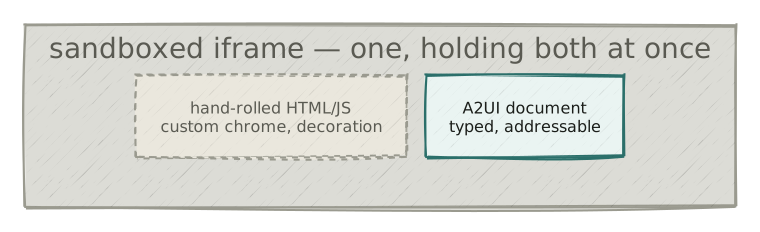
The previous two sections aren't exclusive alternatives — a single iframe can hold both at once. Hand-rolled chrome around a structured A2UI block is a completely normal shape for a real surface to take.
Why this matters for A2UI specifically
With all of the above in mind: web MCP Apps is interesting for A2UI specifically because the same payload reaches different hosts with no host-specific adaptation. It's worth being precise about why the three demos above look so alike, though — the reason is more mundane than it first appears. Over MCP Apps, Claude and ChatGPT both mount the same renderer the server ships, each inside its own sandboxed iframe. They're running identical code, so of course the output matches.
The stronger claim shows up when the renderer isn't shared. A host with its own conforming A2UI renderer — Gemini Enterprise, say, which brings its own (I pulled that apart in an earlier field report) — draws the same typed document in its own visual style. Not pixel-identical, but the same UI structurally, because the document is a contract to be read rather than markup to be re-interpreted. The key portability claim here is that the app output retains its integrity, regardless of any future renderer changes.
The demo: Wall Builder, three ways
To illustrate this, I ported the demo I originally put together for the A2UI-in-Gemini-Enterprise teardown, and enhanced it a little with additional atoms from the catalog.
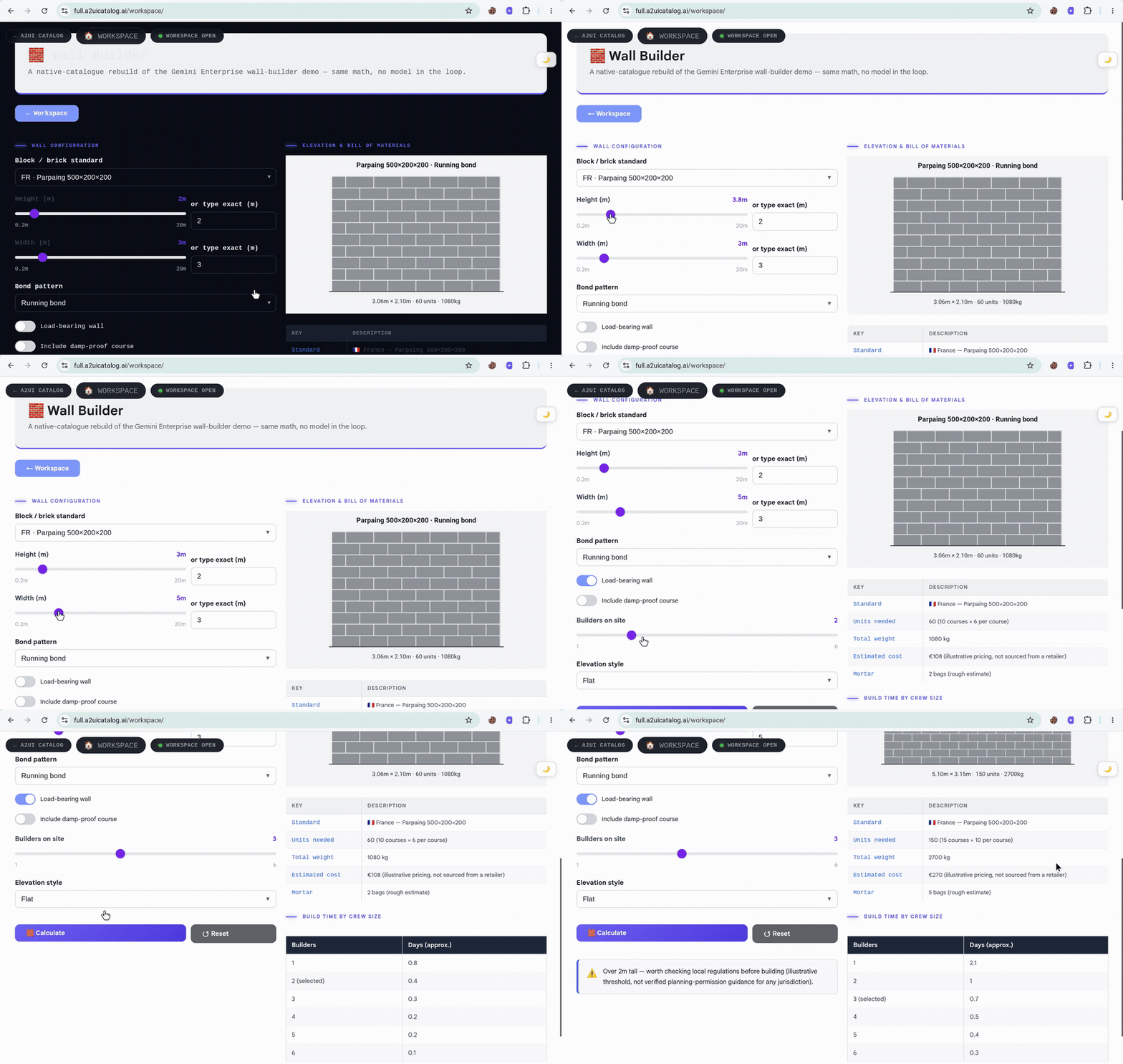
Worth calling out on its own: Video 1 shows the Wall Builder app opening full-screen inside Claude.ai. That full-screen rendering isn't something Anthropic documents explicitly — I got it working through the Playbook approach in A2UI, wrapping the full-page atom in a playbook so the height: "fullscreen" request actually fires. The rendered content itself is entirely an A2UI payload, nothing hand-rolled around it.
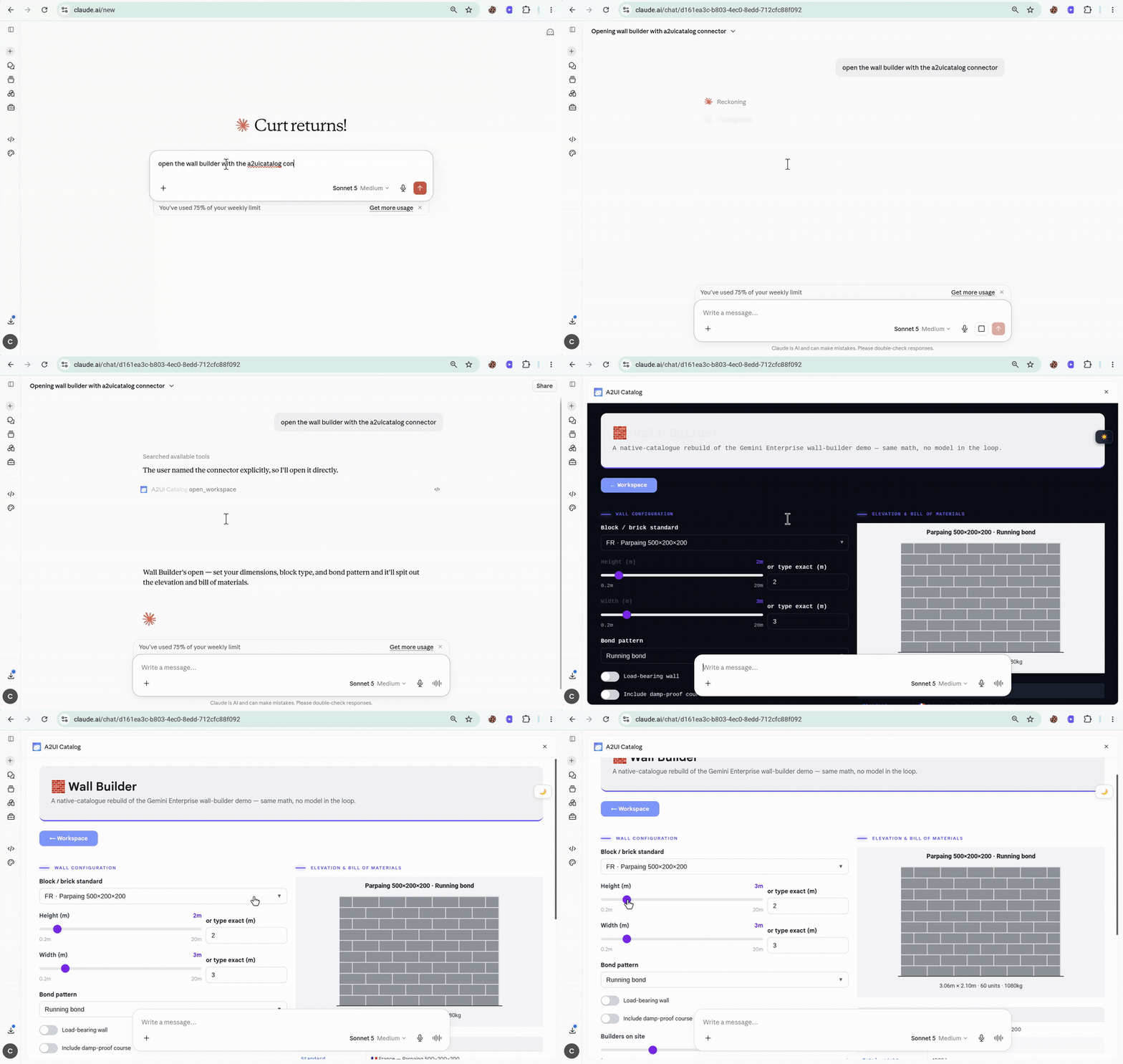
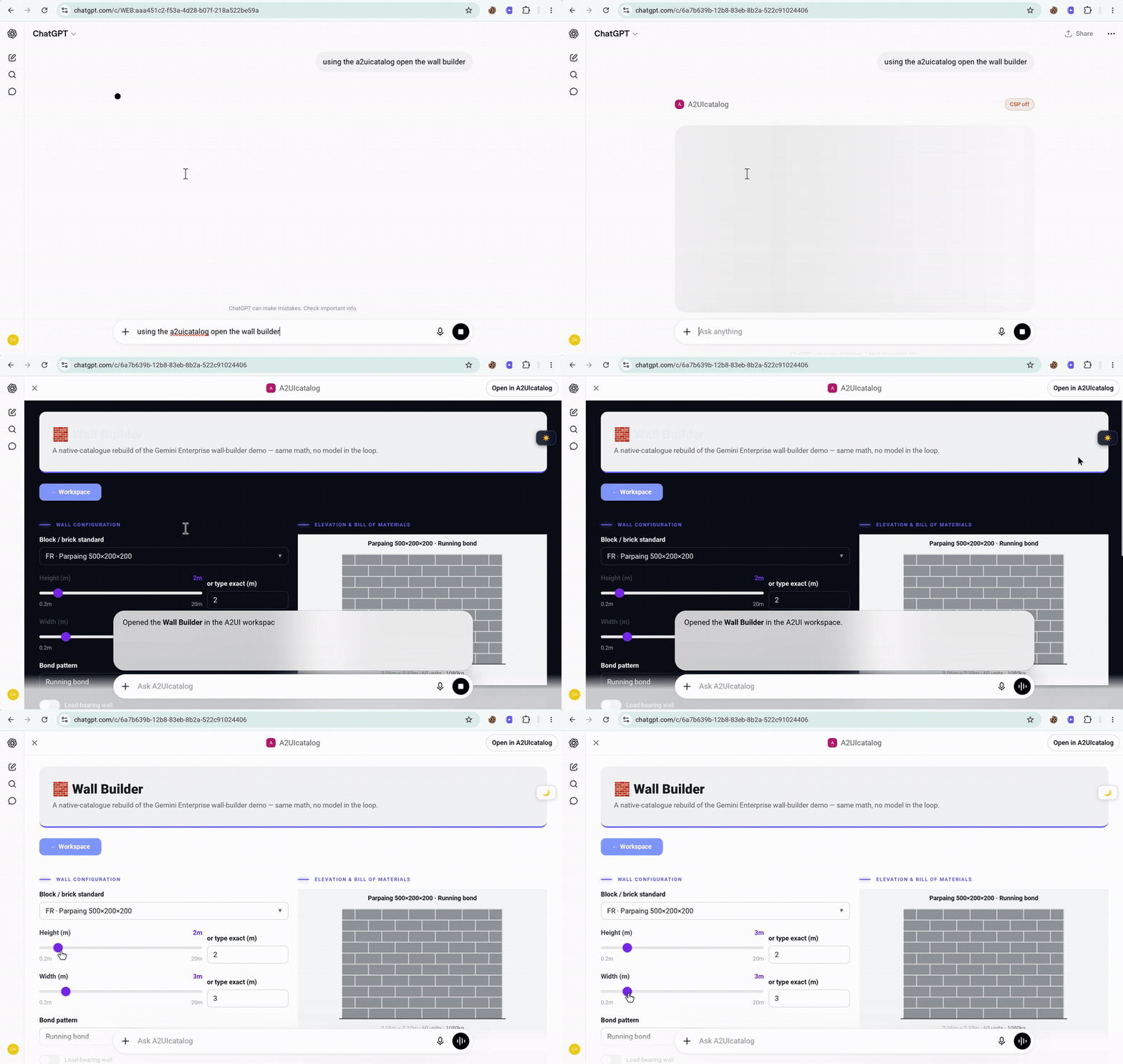
Video 2 shows the same content rendering in ChatGPT — same payload, same tool, no adaptation.
Video 3 shows the same payload rendered on my own site. That one I'm recording but not offering as something you can go try yourself — that surface sits behind Cloudflare Access, allowlisted to two personal email addresses, not a general login. The Claude and ChatGPT legs, by contrast, go through the plain anonymous MCP endpoint — no signup, no key, reproducible by anyone reading this.
Try it yourself
The Claude and ChatGPT legs aren't a private demo — they run against the public, anonymous endpoint, which stores nothing. Add one connector and you can open the same Wall Builder yourself:
Name: A2UI Catalog
URL:  https://a2uicatalog.ai/mcp
Auth: None
Claude (Desktop or claude.ai) — Settings → Connectors → Add custom connector, paste the URL.
ChatGPT — enable Developer mode first (Settings → Apps → Advanced settings → Developer mode; on Business/Enterprise an admin turns it on under Workspace Settings → Permissions & Roles), then add the connector with Transport: Streamable HTTP, Auth: None. Saving a connector doesn't activate it — toggle it on in the conversation's tool menu, which accounts for most "it isn't working" reports.
Then just ask:
using the a2uicatalog, open the wall builder
No signup, no API key. What you can't reproduce this way is the own-site leg — that's the Access-gated surface above, and the identity/state it carries is a story for the next piece. The rendering, though, is yours to try.
Where this leaves things
MCP Apps has real reach — the same connector hands a developer several platforms for free, no per-host work. So wire it up. If you find a surface where the Wall Builder renders wrong, open an issue on the catalog — a broken render somewhere new is worth more to me than a nod that it's neat.
One honest caveat on the portability itself, before it gets oversold. Today's MCP Apps portability is really "one renderer, distributed" — an open iframe mounting this catalog's renderer, whole. If hosts ever decide to allow only their own curated catalogs, the story becomes less compelling. If that happens, A2UI has to stop being just one implementation's format and start holding up as a standard the ecosystem actually keeps faithfully.
What this piece proves is narrower than it might sound, though, and worth being precise about: rendering portability, full stop. It says nothing about identity or persistence — the session it renders in is stateless by design, and nothing above claims otherwise. What it actually takes to give one of these surfaces a memory that survives the session ending is a separate piece, coming next.